NexRide Features Guide: Bikes, Cash, and City Riding
Use this NexRide features guide to learn bike controls, customization, money-making options, police chases, and game passes before hitting city streets.
Jump to
What Can You Do in NexRide?
A quick cruise in NexRide can turn into a wheelie session, a bike upgrade, or a police chase that cuts into your cash. This NexRide features guide explains how riding, customization, and earning money fit together so you can spend more time enjoying the city. Use this NexRide features guide to get your bike moving, find useful phone features, and understand the risks before chasing bigger payouts.
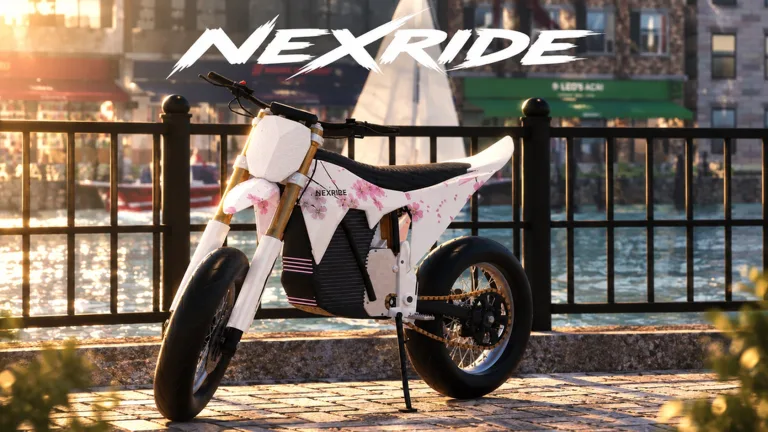
NexRide is a Roblox motorcycle experience built around realistic bike physics, urban exploration, and making your ride your own. You can work, complete deliveries, trade memecoins, customize bikes, and ride with friends. Servers support up to 16 players, giving you room to share the streets without needing an organized race or mission.
| Feature | What you can do |
|---|---|
| Motorcycle riding | Cruise through the city and explore bike handling |
| Customization | Upgrade performance and change your bike’s setup |
| Earning money | Work, complete deliveries, earn through riding, and trade memecoins |
| City exploration | Navigate working traffic and streets with ambient sounds |
| Social riding | Meet friends and explore together |
These activities connect through your bike. Cash gives you more purchasing options, customization changes your setup, and the city gives you somewhere to use it. Traffic rules also matter: reckless riding can attract police, turning a casual trip into a pursuit.
Start with the basics before trying to maximize earnings. Learning how your motorcycle handles makes cruising, wheelies, and navigating traffic easier to manage. Keep this NexRide features guide handy while you work through those systems, especially when switching to a bike that feels different.
Get Your Bike Moving and Learn the Phone
Your opening task is getting the motorcycle ready to ride. The key and kickstand are part of that process, so take care of both before heading into traffic.
On keyboard, follow this sequence:
- Press 1 to select your main key.
- Use the key.
- Click the kickstand to raise it.
- Start riding once the bike is ready.
Take a moment to get comfortable with turning and stopping. NexRide’s motorcycles can tip over, and different bikes have different handling. Avoid treating a newly purchased motorcycle exactly like the one you already know.
Your phone is the other essential tool. Press T to open it, then use its apps to access the garage or navigate toward bike services.
| Control or phone feature | Function |
|---|---|
| 1 | Select your main key |
| Click the kickstand | Raise it before riding |
| T | Open your phone |
| Garage | Access your bike and bring it back home |
| Maps | Find destinations and start a route |
Use the map when heading to the bike customization location. Starting a route gives your trip a clear destination, which helps when you are still learning the city.
The garage also matters after buying another bike. Purchased motorcycles appear in your garage, where you can access your new ride. Make checking the garage part of getting familiar with a purchase rather than immediately rushing into a chase.
The practical takeaway from this part of the NexRide features guide is simple: learn your key, kickstand, phone, and garage before worrying about speed. Those tools support ordinary riding just as much as a longer money-making session.
Customize Your Motorcycle and Keep It Charged
Customization lets you upgrade performance and change your bike’s setup. This NexRide features guide separates three things worth paying attention to: your bike’s appearance, its performance setup, and how it actually handles.
Head to the bike customization location using your phone’s map. There, you can change your motorcycle’s setup and explore upgrades. The game supports performance improvements as well as making a bike look more personal, so customization serves more than appearance.
Before spending, decide what you want from the purchase:
- Look at appearance options when you want a more distinctive ride.
- Review performance upgrades when you want to change your bike’s capabilities.
- Get comfortable with your current motorcycle before switching to another.
- Practice handling after a purchase instead of immediately testing it around police.
Different bikes can feel noticeably different to ride. Give yourself space to adjust when changing motorcycles, particularly if you are also learning to control wheelies or navigate busy streets.
Use Sports Mode for More Speed
Sports mode makes your bike faster. If the motorcycle feels slow, check its riding mode before assuming you need another purchase.
Try the faster mode somewhere you can concentrate on control. Extra speed gives you less time to react to traffic lights and obstacles, and reckless riding can bring police into the situation. Practice stopping and turning before using that speed through intersections.
Charge at the Bike Location
Your motorcycle uses charge, and charging is available at the bike customization location. Use your phone’s navigation to find it when you need to recharge.
Keep charging in mind when planning a trip across the city. Knowing where bike services are located gives you a useful destination for both maintenance and customization. You can handle those tasks during the same visit instead of treating each as a separate outing.
Earn Cash and Understand Police Chases
Money supports bike purchases and upgrades, but the available earning methods involve different activities. For this NexRide features guide, focus on what each method asks you to do before deciding how to spend a session.
The core options include ordinary riding, wheelies, work, deliveries, memecoin trading, and escaping police.
| Money-making activity | How it works |
|---|---|
| Riding | Earn money while riding your bike |
| Wheelies | Earn cash through wheelies; longer wheelies increase earnings |
| Work and deliveries | Complete work and delivery activities |
| Memecoin trading | Put in-game money into coins whose prices move |
| Police escapes | Earn a payout by successfully escaping a pursuit |
Wheelies give you a direct riding challenge: hold one longer to increase the money earned. Practice maintaining control in open space before trying to combine a wheelie with traffic or a pursuit.
Avoid forcing a long wheelie when it makes steering harder. During a police chase, concentrate on escaping and keeping the motorcycle under control. A trick is less useful if it contributes to getting caught.
Work and deliveries provide other ways to earn. Include them in your sessions if you want something to do beyond cruising or trying to trigger another chase. For memecoin trading, remember that prices move down as well as up; plan your bike spending before putting cash into a coin.
Police Pursuits Offer Rewards and Costs
Escaping police can pay around 400–600 in-game cash, with a pursuit involving roughly five minutes of being chased. That makes escapes an appealing activity, but getting caught brings consequences.
Police can take your bike, and an arrest can carry a fine of 200 in-game cash. Repeated fines reduce the cash you have available for purchases, so judge a pursuit by the money you keep afterward.
Pay attention to these behaviors:
- Running red lights: Stop at red lights and move when they turn green.
- Ignoring road signs: Watch for stop signs while navigating.
- Reckless riding: Control your speed and avoid careless movement.
- Colliding with police vehicles: Give police cars space.
Once a chase starts, avoid stopping in the street or riding into a police car. Police can also pursue you on foot after you leave the motorcycle, so stepping off the bike does not automatically end the situation.
Choose Your Goal Before You Ride
Decide whether you are practicing, earning, shopping, or deliberately taking on a pursuit. That choice helps you avoid mixing incompatible goals.
If you are heading to customize a bike, follow traffic rules and reach the destination. If you are practicing wheelies, concentrate on balance and control. If you want a police chase, go into it understanding both the possible escape payout and the fine for getting caught.
Explore With Friends and Compare Game Passes
The city gives you more to do than travel between purchases. Working traffic, ambient sounds, and shared streets support casual exploration, while 16-player servers let you ride alongside friends.
Use this NexRide features guide to plan a session around an activity you actually enjoy. Meet up for a cruise, visit the customization location, or spend time learning how different motorcycles handle. You do not need to turn every ride into a cash grind.
When riding together, agree on a destination before setting off. The phone’s routing feature gives you a way to navigate toward bike services, and obeying traffic signals helps keep an ordinary group ride from becoming a police pursuit.
What Do VIP and 2x Cash Include?
As of October 23, 2026, NexRide offers these game passes:
| Game pass | Price | Included benefits |
|---|---|---|
| VIP | 499 Robux | VIP tag, +25% cash, a daily bonus, underglow, and VIP-only paint |
| 2x Cash | 299 Robux | Permanently doubles money earned from riding |
Compare the benefits with the activities you spend time doing. The 2x Cash pass specifically increases riding earnings. VIP combines a cash bonus with a daily bonus and visual extras, including underglow and exclusive paint.
Read the benefits carefully before spending Robux. Choose based on whether you want increased riding income or the broader collection of VIP extras.
When you are ready to get on the road, play NexRide on Roblox. Start by learning the motorcycle you have, then use your earnings and customization options to shape your next ride.
FAQ
What does this NexRide features guide cover?
It covers motorcycle controls, phone navigation, the garage, customization, charging, money-making activities, police pursuits, and game passes. NexRide also supports city exploration and riding with friends in servers of up to 16 players.
How do you start riding your bike in NexRide?
Press 1 to select your main key, use it, and click the kickstand to raise it. Once the bike is ready, you can ride. Press T to open your phone for maps and garage access.
How do you earn money from wheelies and police chases?
Wheelies earn money, with longer wheelies increasing earnings. Successfully escaping police can pay around 400–600 in-game cash. Getting caught can result in a fine of 200 in-game cash, so keep the cost of failed escapes in mind.
Where can you customize and charge your bike?
Use the maps app on your phone to navigate to the bike customization location. You can customize your motorcycle and charge it there. Your garage provides access to your purchased bikes.
Continue with
 NexRide How to Play With Friends: City Riding GuideNexRide how to play with friends: plan a city ride, learn bike controls, find the bike hub, and avoid police trouble while cruising with your Roblox crew.
More in Features
NexRide 2x Cash: Free Boost Code and Game Pass Guide
Get NexRide 2x cash with a free boost code or the permanent game pass. Compare rewards, check the Robux price, and plan your money-making riding session.
NexRide AI Cops: Chase Triggers, Fines, and Escape Tips
Learn how NexRide AI Cops react to reckless riding, what happens when you get caught, and how to prepare your bike before risking a chase for extra cash.
NexRide Ambient Sounds: A Guide to City Exploration
Explore NexRide ambient sounds, working traffic, and city riding. Learn bike controls, route planning, and ways to enjoy a more relaxed cruise on Roblox.
NexRide Badges: Unlock Status and Player Reward Guide
Looking for NexRide badges? Check the current badge status, understand VIP and cash rewards, and plan your next ride with practical bike and money tips.
Continue exploring
NexRide Bike Setup: Customize, Charge, and Ride Faster
Get your NexRide bike setup ready with key controls, bike customization, charging locations, Sports mode tips, and cash rewards for your next city ride.
NexRide Kickstand: How to Raise It and Start Riding
Raise the NexRide kickstand, use your main key, and get your bike moving. Learn startup steps, charging basics, garage controls, and riding tips today.
Join the community
Official channels for news, updates and player help: