NexRide Main Key: How to Start and Ride Your First Bike
Use the NexRide main key to start your bike, raise the kickstand, and get riding. Learn the PC controls, garage access, charging stops, and riding basics.
Jump to
How to Use the NexRide Main Key
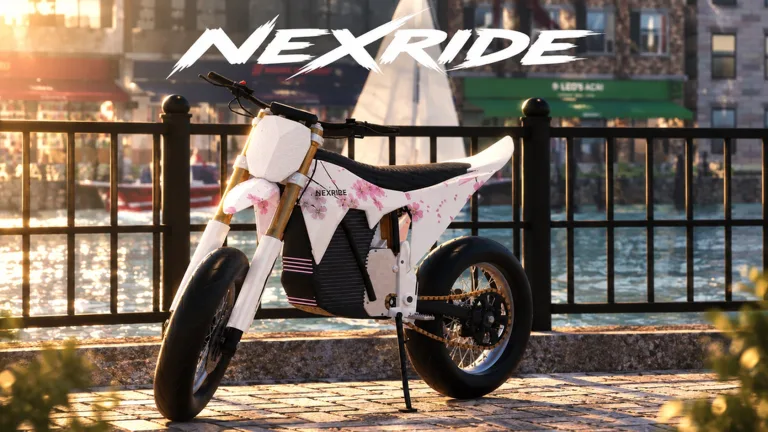
Sitting on your bike is only the beginning: the NexRide main key is part of getting ready to ride. On PC, click your bike to get on, press 1 to select the key, then activate it and click the kickstand to raise it. Learn that NexRide main key sequence before heading into traffic so you can focus on riding once you pull away.
The important detail is the kickstand. Selecting your key and raising the stand are separate actions, so work through both instead of stopping after pressing the number key.
Follow this startup sequence:
| Step | What to do |
|---|---|
| Get on your bike | Click the bike to mount it. |
| Select the main key | Press 1 on your keyboard. |
| Use the key | Click or tap to activate the selected main key. |
| Raise the kickstand | Click the kickstand. |
| Begin riding | Head out once you have completed the setup. |
Take a moment to learn each interaction while you are parked. Look at the bike as you work through the sequence, especially when clicking the kickstand. That gives you a clear routine to repeat whenever you get ready for another ride.
Keep the order simple: bike, key, kickstand, ride. There is no reason to complicate your first trip with bike shopping, sports mode, or a police chase before you have practiced getting underway.
Once that sequence feels familiar, start exploring at a manageable pace. NexRide combines bike physics with working traffic, so getting comfortable with the bike matters as much as knowing which item to select.
Official page: NexRide (roblox.com)
PC Controls and Phone Features to Learn Next
After using the NexRide main key, learn how to reach your phone. Press T to open it, then use its garage and map features to manage your ride and find useful destinations.
These controls and interactions cover the startup process and the next tools you will need:
| Control or interaction | Function |
|---|---|
| Click your bike | Get on the bike. |
| Press 1 | Select your main key. |
| Activate the selected key | Continue the bike startup sequence. |
| Click the kickstand | Raise the stand before riding. |
| Press T | Open your phone. |
| Open the phone’s garage | Access the feature for bringing your bike back home. |
| Open the phone’s maps | Find destinations and start a route. |
Think of the key and phone as tools for different jobs. The key belongs in your departure routine; the phone helps with navigation and garage access.
Before setting off toward an unfamiliar destination, open the map and start your route while parked. Read where you are going before joining traffic. That leaves you free to watch intersections, road signs, and the bike’s handling during the trip.
The garage is also worth finding early. It gives you a way to bring your bike back home, and newly purchased bikes appear there after resetting. Learn where that feature sits on the phone before you need to collect another bike.
Keep these keyboard controls separate in your memory: 1 selects the main key; T opens the phone. Practice both while stationary, then return your attention to the road before moving.
Bike Not Moving? Check the Startup Sequence and Charge
If you have selected the NexRide main key but are still sitting in place, review the setup before changing anything else. Start with the actions involved in getting the bike ready: mounting it, activating the key, and raising the kickstand.
Work through the checks in order. Avoid jumping immediately to a new bike purchase when you are still learning the controls.
| Situation | What to check or do |
|---|---|
| You are beside the bike | Click it to get on. |
| You have mounted but have not selected the key | Press 1. |
| The key is selected | Complete the key interaction. |
| The kickstand is still down | Click it to raise it. |
| Your bike has run out of charge | Head to the bike hub/store area for charging. |
| You need to bring the bike home | Open the phone with T and access the garage. |
Find the Bike Hub for Charging
Your bike can run out of charge, so learn the charging destination alongside the startup controls. Open your phone, enter the maps, and find the bike hub. Start a route to reach the bike store area, where charging and customization are available.
Make that destination part of an early exploration trip. Knowing where it is gives you a useful landmark for later rides and a place to return when your bike needs attention.
The NexRide main key handles one part of preparing to ride, while charging addresses the bike’s energy needs. Keep those checks separate: complete the startup sequence when departing, and remember the hub when your charge runs out.
Check Sports Mode for More Speed
NexRide also includes a sports mode that makes the bike faster. If your bike feels slow after you have started riding, check its riding mode.
Get comfortable with ordinary handling before switching to the faster mode. Bikes can tip over, and reckless riding can attract police attention. Practice steering and approaching intersections before adding more speed to the ride.
Treat sports mode as another feature to learn after startup. Selecting the main key, raising the kickstand, charging the bike, and changing its mode each address a different part of riding.
Earn Riding Money Without Turning Every Trip Into a Chase
Once the NexRide main key routine becomes familiar, riding starts feeding into the game’s money systems. Wheelies can earn cash, and longer wheelies pay more. Escaping police can also earn money, but getting caught carries a financial cost.
NexRide offers other activities, too, including work, deliveries, and memecoin trading. Keep those options in mind when choosing how to spend a session.
| Activity or event | Money connection |
|---|---|
| Perform wheelies | Earn money while riding. |
| Hold longer wheelies | Increase the money earned from the wheelie. |
| Escape a police chase | Earn cash for getting away. |
| Get caught by police | Pay a fine when you are caught. |
| Work or complete deliveries | Earn money through city activities. |
| Trade memecoins | Take part in a market where prices move up or down. |
Practice Wheelies Before Mixing Them With Pursuits
Practice wheelies when you can concentrate on bike control. Longer wheelies reward you with more money, but maintaining control deserves your attention, especially while you are still learning how easily the bike can tip.
During a pursuit, focus on escaping. Leave wheelie practice for a ride where you are not also trying to stay ahead of police. Combining both tasks adds more to manage at the same time.
Avoid measuring a ride only by how much cash appears. A fine takes money back out of your balance, so consider the cost of getting caught before deliberately starting another chase.
Watch Traffic Lights and Road Signs
Stop at red lights and obey stop signs if you want to avoid drawing police attention. Running a red light and riding recklessly can start a pursuit.
Learn the city’s intersections during ordinary trips. Use a journey to the bike hub to practice stopping, following your route, and pulling away again. Those habits give you something useful to work on while exploring.
Police chases offer an earning opportunity, but they are difficult to escape. Practice riding first, then attempt a chase when you are ready to spend the trip concentrating on getting away.
Build a Riding Routine Before Upgrading Your Bike
NexRide includes performance upgrades and bike customization, giving you more to work toward after learning the controls. Visit the bike hub/store area to explore those options and change your setup.
Start with a practical riding routine:
- Mount and prepare the bike. Use the NexRide main key, then raise the kickstand.
- Choose your destination. Open the phone with T and use maps to start a route.
- Ride with attention to traffic. Watch lights, signs, and intersections.
- Visit the hub when needed. Use its charging and customization facilities.
- Learn garage access. Keep track of where to bring your bike home or collect a purchased bike.
Repeat that loop until the controls feel familiar. Each trip gives you practice with departure, navigation, handling, and finding your way around the city.
When you purchase another bike, reset and visit the garage to collect it. Give yourself time to learn its handling: different bikes can feel different on the road. Start with a controlled ride before pushing the speed or attempting long wheelies.
Explore customization alongside performance upgrades. Changing your bike’s setup is part of NexRide’s riding experience, whether you spend your time cruising with friends, making deliveries, or earning through riding.
Keep your next goal specific. Practice a smoother departure, learn the route to the hub, or spend a ride following traffic signals. Working on one task at a time keeps the session focused without requiring a purchase.
Before leaving again, return to the same short checklist: get on, select the key, activate it, and raise the kickstand. A familiar startup routine lets you put more attention into the ride ahead.
FAQ
What button selects the NexRide main key?
Press 1 on PC to select the NexRide main key after getting on your bike. Activate the selected key, then click the kickstand to raise it before riding.
Why is my bike still parked after I select the key?
Check the remaining startup actions. Selecting the key is one step; you also need to activate it and raise the kickstand. If the bike has run out of charge, visit the bike hub/store area for charging.
How do I open the phone and garage?
Press T to open your phone, then access the garage. The phone also contains maps, which let you find destinations and start a route through the city.
Where do I charge and customize my bike?
Open your phone’s maps and find the bike hub. Start a route to the bike store area, where you can charge your bike and access customization options.
Continue with
 NexRide Performance Upgrades: Bike Setup and Speed GuideExplore NexRide performance upgrades, switch to sports mode, find bike customization, and earn cash for your next bike with riding tips and code rewards.
More in Bikes
NexRide Best Bike: Price, Upgrades, and Buying Guide
Find your NexRide best bike with a 15,000 cash target, sports mode tips, charging help, and earning strategies. Plan the next upgrade before spending cash.
NexRide Bike Setup: Customize, Charge, and Ride Faster
Get your NexRide bike setup ready with key controls, bike customization, charging locations, Sports mode tips, and cash rewards for your next city ride.
NexRide Dirtbikes: Update Dates and Riding Prep Guide
Get ready for NexRide dirtbikes with the October update dates, bike controls, customization tips, and ways to earn cash before heading out onto the trails.
NexRide Kickstand: How to Raise It and Start Riding
Raise the NexRide kickstand, use your main key, and get your bike moving. Learn startup steps, charging basics, garage controls, and riding tips today.
Continue exploring
Join the community
Official channels for news, updates and player help: