NexRide Codes (October 2026): Free Cash and Boosts
Redeem NexRide codes for 5,500 Cash and a 15-minute 2x Cash boost. Find active codes, redemption steps, and riding tips to put your rewards to work today.
Updated
Active codes (October 2026) 0
There are no confirmed active codes for NexRide at the moment. Official codes are announced on the game's own channels.
Where new codes are announced:
Bookmark this page and check back for newly confirmed codes.
Jump to

Active NexRide Codes for October 2026
NexRide codes give you a welcome cash injection before you head out into the city. The two active codes for October 23, 2026, offer a combined 5,500 Cash and 15 minutes of 2x Cash, helping you build your bike budget. Redeem these NexRide codes through the store’s CODES menu, then get back to riding, customizing, and earning.
Here are the codes and their rewards:
| Code | Cash reward | Additional reward |
|---|---|---|
200KVISITS | 3,000 Cash | 2x Cash for 15 minutes |
100KVISITS | 2,500 Cash | — |
Copy the uppercase strings exactly as shown. These codes are case-sensitive, so keep the capital letters and leave out spaces. The visit milestones are part of each code’s name; enter 200KVISITS, rather than typing out “200k visits.”
Both rewards are useful when you’re getting comfortable with the game. The cash adds to your spending money, while the temporary multiplier gives you a reason to prepare for a focused riding session.
There are no expired codes listed for October 23, 2026. Keep the date in mind when checking your rewards, and use the active list above when entering codes.
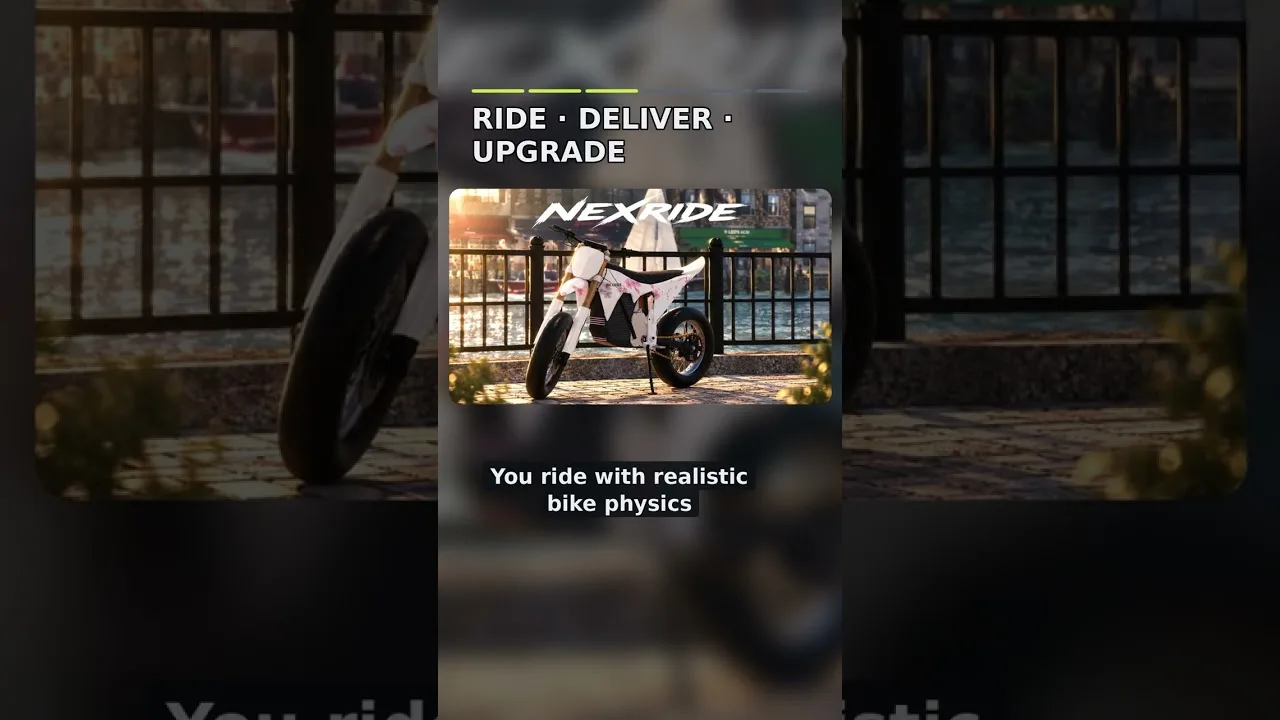
You can launch the correct experience through the official NexRide Roblox game page. Look for NexRide [UPDATE], developed by Funspace Studio's.
How to Redeem NexRide Codes
You redeem NexRide codes inside the game’s store. The code box sits in its own section, so open the store first instead of looking through your phone’s garage or map.
| Step | What to do |
|---|---|
| 1 | Open NexRide on Roblox. |
| 2 | Click the store button. |
| 3 | Select CODES at the top of the store menu. |
| 4 | Enter a code in the ENTER CODE box. |
| 5 | Click REDEEM. |
Enter each code separately. For the cash-only reward, use 100KVISITS. When you’re ready to make use of the timed multiplier, enter 200KVISITS.
Check the spelling before trying again
If an entry doesn’t work, compare it with the table character by character. Pay particular attention to:
- Capitalization: Use
VISITSin uppercase. - Spacing: Keep the numbers and letters together.
- Extra characters: Enter the code without quotation marks or Markdown backticks.
- The milestone number:
100KVISITSand200KVISITSare separate entries.
Copying directly from the table helps avoid mixing up the code names. When typing manually, finish entering the whole string before pressing REDEEM.
The temporary boost deserves a little preparation. Get familiar with your bike, locate the area where you want to ride, and handle customization before settling into your earning session. That keeps your attention on riding when you want to use the multiplier.
What the Free Cash and Boost Give You
Together, the active NexRide codes award 5,500 Cash. The larger milestone code also includes a 15-minute 2x Cash boost, so its value extends beyond the immediate cash payout.
Use that cash with your next purchase in mind. NexRide lets you customize your bike and upgrade its performance, giving you several ways to spend what you earn. Decide whether you want a different setup, a performance change, or a new look before browsing.
Prepare for the timed multiplier
Practice controlling your bike before planning a session around the boost. Learn how it turns, how easily it tips, and how comfortable you feel holding a wheelie. Time spent getting comfortable can help you keep moving once you’re focused on earning.
Charge your bike before heading out, too. The bike shop provides charging alongside customization, making it a useful stop while you prepare.
Keep your route manageable. Choose streets you can navigate comfortably, watch the traffic lights, and avoid turning every ride into a police pursuit. Getting caught brings fines, which work against the cash you’re trying to build.
Understand the paid options separately
NexRide also sells a 2x Cash game pass for 299 Robux, which doubles money earned from riding permanently. The code reward lasts 15 minutes, so pay attention to that duration when planning your session.
The VIP pass costs 499 Robux and includes a VIP tag, 25% extra cash, a daily bonus, underglow, and VIP-only paint.
Redeem the free rewards before deciding whether those paid extras fit how you play. The active codes already provide spending money and a chance to use a temporary multiplier.
Keep Earning After the Codes
Once you’ve redeemed your NexRide codes, regular gameplay keeps the money coming. Riding, wheelies, work, deliveries, and memecoin trading all feature in the game’s economy, while police pursuits add a riskier option.
| Activity | How it connects to earning |
|---|---|
| Wheelies | Earn money while riding; longer wheelies pay more. |
| Work | Complete work to build your cash. |
| Deliveries | Complete deliveries to earn money. |
| Police pursuits | Escaping can earn roughly 400–600 Cash. |
| Memecoin trading | Price movements create opportunities to gain or lose money. |
These activities require different kinds of attention. Wheelies depend on bike control, deliveries give you something to work toward, and pursuits put your ability to escape under pressure. Pick an activity you can handle consistently before chasing a bigger payout.
Practice wheelies with room to recover
Longer wheelies earn more money, making control valuable. Practice somewhere you can concentrate on keeping the bike steady while still watching the road.
Keep the bike upright and leave yourself room to correct mistakes. Trying to extend every wheelie through traffic can lead to a tip or an unwanted encounter with police.
During a pursuit, focus on escaping if balancing a wheelie makes steering harder. The extra stunt earnings lose their appeal when a mistake ends in a fine.
Weigh pursuit rewards against fines
Escaping police can pay roughly 400–600 Cash, but getting caught costs money. A 200 Cash fine is one example of what an unsuccessful chase can take from your balance.
Traffic behavior matters. Running red lights and riding recklessly can attract police attention, so stop at red signals and pay attention to road signs when you want an uninterrupted ride.
Practice handling your bike before deliberately seeking pursuits. Faster riding creates more demands on your steering, and tipping can leave you in a difficult position. Use the cash from codes to support your riding plans while you learn the streets.
Keep memecoin risk in mind
Memecoin prices can move up or down. Approach trading with a clear idea of how much cash you’re willing to put at risk.
Keep money intended for a bike purchase separate from trading decisions. If you’re trying to reach a specific purchase price, focus on riding, work, or deliveries rather than relying on a favorable price swing.
Get Your Bike Ready Before Heading Out
The rewards from NexRide codes are easier to put to use once you know the basic controls. Start with your bike, then learn where the phone’s garage and map fit into your routine.
| Control or feature | What it does |
|---|---|
| 1 on keyboard | Equips your main key. |
| Bike interaction | Lets you use the key and raise the kickstand. |
| T on keyboard | Opens your phone. |
| Phone garage | Lets you bring your bike back home. |
| Phone map | Helps you navigate to the bike hub. |
| Bike shop | Provides bike customization and charging. |
| Sports mode | Makes the bike faster. |
On keyboard, press 1 to equip your main key, interact with the bike, and raise its kickstand before riding. Learning that sequence makes it easier to get moving without fumbling through interactions.
Press T to open your phone. Use the map to find the bike hub and start a route there when you want to customize or charge your bike. The garage is also accessible through the phone.
Check the bike before using sports mode
Sports mode increases speed. Try it once you’re comfortable steering and watching traffic, especially if your bike feels slow in its current mode.
Give yourself space to learn how the extra speed changes your ride. Bikes can tip, and reckless riding can draw police attention. Ease into faster travel while keeping road signs and intersections in view.
Add the group reward to your routine
Joining the game’s Roblox group offers another 1,000 Cash. The developer group is Funspace Studio's; use the creator information on the official game page to find the right one.
That reward is separate from the code-entry screen. Keep the two activities distinct: redeem the milestone strings through CODES, and join the developer group for its group reward.
Before a longer ride, work through this short checklist:
- Redeem the cash codes you want to use.
- Prepare your bike before planning around the timed boost.
- Charge at the bike shop.
- Choose your route using the phone map.
- Watch signals and road signs while riding.
Those preparations give you fewer things to interrupt your session once you’re out earning.
FAQ
What are the active NexRide codes?
As of October 23, 2026, the active codes are 200KVISITS and 100KVISITS. Together, they award 5,500 Cash and a 15-minute 2x Cash boost. Enter both strings exactly as shown, including their capitalization.
Where do I enter codes in NexRide?
Open the in-game store, select CODES at the top, and type a code into the ENTER CODE box. Click REDEEM to submit it. Enter each code separately.
Does the free 2x Cash boost last forever?
The boost from 200KVISITS lasts 15 minutes. NexRide separately sells a 299 Robux 2x Cash game pass that permanently doubles money earned from riding.
How can I earn more cash after redeeming the codes?
Earn money through wheelies, work, and deliveries. Escaping police can also pay roughly 400–600 Cash, though getting caught brings fines. Practice bike control and follow traffic signals when you want to concentrate on earning without a pursuit.
Continue exploring

NexRide Earning Guide: Make Money and Avoid Costly Fines
Use this NexRide earning guide to earn cash through riding, wheelies, and deliveries, manage police chases, and compare cash boosts before spending Robux.
NexRide Money Fast: Earn Cash and Avoid Costly Fines
Learn how to make NexRide money fast with wheelies, police escapes, and cash boosts. Compare rewards, avoid fines, and keep your bike ready for every ride.
Join the community
Official channels for news, updates and player help: