NexRide Player Limit: Server Size and Riding Together
The NexRide player limit is 16 per server. Plan your group ride, understand server capacity, and prepare to explore the city with friends on Roblox today.
Jump to

What Is the NexRide Player Limit?
The NexRide player limit is 16 players per server, so count your crew before planning a city ride. That capacity matters because everyone riding together needs room in the same server. The NexRide player limit applies to each server individually, while the experience’s total online population spans its servers.
For the Roblox version dated October 23, 2026, here are the numbers to keep separate:
| Detail | Figure | What it means |
|---|---|---|
| Maximum players per server | 16 | The capacity of an individual server |
| Players online at the October 23 snapshot | 3,979 | The population across the experience at that moment |
| Latest update date | October 22, 2026 | The update date for this version |
Seeing thousands of people online does not mean thousands share your streets. The city you enter belongs to an individual server, with its own group of riders.
That distinction helps when organizing a meetup. Your entire group needs to fit within the server’s capacity, including you. Other people already occupying that server count toward the same total.
Think of 16 as the ceiling for everyone sharing that session, rather than a separate allowance for your friends. A full crew cannot fit alongside additional riders once that ceiling is reached.
The NexRide player limit also gives you a practical starting point for planning. Count everyone who wants to participate, agree on the activity, and get the group organized before heading out. You can open the NexRide experience on Roblox when you are ready to ride.
Plan Your Group Ride Around Server Capacity
NexRide centers on riding, customizing bikes, earning money, and exploring a city with friends. Decide which of those activities your group wants to do before scattering across the map.
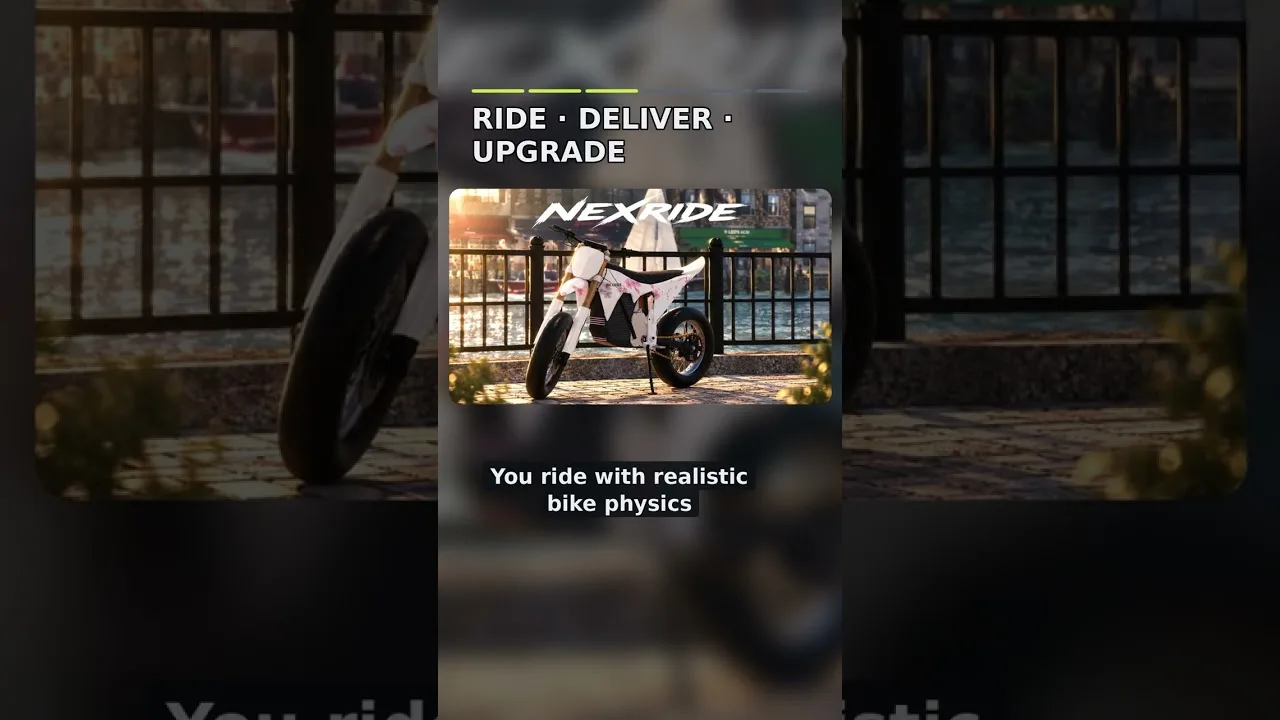
A relaxed cruise and a money-focused session call for different plans. Riders following traffic signals can travel together without deliberately starting trouble. Players chasing cash through police escapes are choosing an activity that carries fines when things go wrong.
Keep those goals aligned. If part of the group wants to customize bikes while everyone else immediately rides away, your meetup becomes a series of attempts to regroup.
Use this checklist before setting off:
- Count the whole crew. Include yourself when comparing your group with the server’s capacity.
- Choose an activity. Agree on cruising, customization, deliveries, or earning money through riding.
- Pick a destination. Use a location you can find through the phone’s map, such as the bike hub.
- Prepare your bikes. Handle charging and customization before starting the ride.
- Agree on traffic behavior. Decide whether the outing is a calm cruise or a session involving police pursuits.
The NexRide player limit is especially relevant when your group wants everyone together for the same outing. Plan around the total number of participants instead of assuming there will always be space for another friend.
Use the bike hub as a meeting destination when your crew also needs customization or charging. Combining those tasks gives everyone a concrete reason to head to the same place before exploring.
Keep the plan simple enough that everyone can follow it. “Meet at the bike hub, prepare your bike, then cruise” is easier to coordinate than a session where every rider starts with a different objective.
Get Your Bike Ready Before Everyone Leaves
Getting into the same server is only part of organizing a ride. Make sure everyone knows how to start their bike, use the phone, and locate the garage before the crew sets off.
NexRide includes hands-on bike interactions. You use the main key and raise the kickstand before riding, while the phone provides access to useful navigation and garage functions.
| Action | Control or location | Purpose |
|---|---|---|
| Select the main key | Press 1 | Access the key used to get the bike ready |
| Raise the kickstand | Click the kickstand | Prepare the bike for riding |
| Open the phone | Press T | Access the phone’s features |
| Access the garage | Garage option on the phone | Bring your bike back home |
| Find the bike hub | Phone map | Navigate to customization and charging |
Start by pressing 1 to select your main key, use it, and click the kickstand to raise it. Once your bike is ready, you can head out.
Press T when you need the phone. Open its map to find the bike hub and start a route there. This is useful when your group needs a shared destination rather than several riders guessing which direction to take.
Handle battery charging at the bike hub before committing to more riding. You can also customize your bike there, so finish those changes while the group is already gathered.
Sports mode makes the bike faster. Use it deliberately, and leave yourself room to adjust to the handling. Bikes can tip over, so practice controlling yours before making speed the focus of a group outing.
The NexRide player limit tells you how many people can share a server; preparation determines whether your crew is ready to leave together. Check the key, kickstand, phone, and charging location before setting off.
Choose Activities That Match Your Crew’s Goal
Once everyone is ready, NexRide gives your group several things to do. Riding earns money, wheelies provide another earning method, and the city supports work, deliveries, and memecoin trading.
Choose an activity based on what your crew wants to accomplish during the session.
| Activity | What you do | Gameplay detail |
|---|---|---|
| City riding | Travel through the streets | Riding can earn cash |
| Wheelies | Keep the bike balanced on its rear wheel | Longer wheelies earn more money |
| Police escapes | Get away after a pursuit begins | Successful escapes can pay around 400–600 cash |
| Work and deliveries | Take part in the city’s earning activities | Both are ways to build your money |
| Memecoin trading | Trade through the game’s financial features | Prices can move up or down |
Keep a Casual Cruise Under Control
Follow road signs and stop at red lights when you want a quieter outing. Running a red light and riding recklessly can trigger police attention.
That makes traffic behavior a useful part of planning a group ride. Tell your friends whether you are following the signals before everyone starts riding at different speeds.
Practice wheelies when you have room to concentrate on balance. Longer wheelies increase earnings, but keep control of the bike instead of stretching an attempt until you crash.
Understand the Cost of Police Chases
Police escapes offer cash, but getting caught brings fines. A successful escape can pay around 400–600 cash, while an arrest can take money away from your balance.
Avoid riding into police cars or stopping during an escape. Keep your attention on maintaining movement and controlling the bike.
Save wheelie practice for a calmer stretch of riding if a pursuit already demands your attention. Combining tricks with an escape gives you more to manage at once.
The NexRide player limit does not describe a reward multiplier or an earning method. Use the server capacity to organize your crew, then choose activities according to their actual mechanics. Having friends nearby gives you company for the ride, while your cash still comes from the activities you perform.
Prepare Your Cash, Upgrades, and Bonuses
Customizing bikes is part of NexRide’s appeal, and earning money gives you more room to work on your setup. Before your group spends the session grinding, understand the available cash bonuses and what each purchase provides.
NexRide offers these game passes:
| Game pass | Price | Included benefits |
|---|---|---|
| VIP | 499 Robux | VIP tag, +25% cash, a daily bonus, underglow, and VIP-only paint |
| 2x Cash | 299 Robux | Permanently doubles cash earned from riding |
Choose purchases by their stated benefits. VIP combines cash-related perks with cosmetic extras. The 2x Cash pass focuses on earnings from riding.
Keep the NexRide player limit separate from those purchase decisions. Plan your group around the 16-player capacity, and evaluate a pass based on whether you want its cash or customization features.
Redeem Cash Codes Before Your Ride
As of October 23, 2026, these codes provide starting cash and a temporary boost:
- 200KVISITS: 3,000 cash and 2x Cash for 15 minutes.
- 100KVISITS: 2,500 cash.
Enter codes exactly as written because they are case-sensitive.
To redeem them:
- Open the in-game store.
- Select CODES at the top of the store menu.
- Type a code into the ENTER CODE box.
- Select REDEEM.
Prepare your bike and route before redeeming the code with the timed boost. Spending its duration organizing the group leaves less time for riding.
Joining the game’s Roblox group also provides a 1,000-cash reward. Collect that bonus before working toward your next bike purchase or customization.
At the bike hub, consider how performance changes fit the riding you actually want to do. A faster bike or sports mode still requires controlled handling, especially when you are navigating traffic signals or trying to escape police.
For your next meetup, work through the essentials in order: count the crew, gather at a destination, prepare the bikes, and choose the activity. With the NexRide player limit in mind, you can organize the session before everyone heads into the city.
FAQ
What Is the NexRide Player Limit?
The NexRide player limit is 16 players per server for the Roblox version dated October 23, 2026. That total includes everyone occupying the server, including you and your friends.
Does the Online Player Count Mean Everyone Shares One Server?
No. The online population covers the experience across its servers. NexRide had 3,979 players online at the October 23 snapshot, while each individual server had a maximum capacity of 16.
Can You Ride With Friends in NexRide?
Yes. NexRide supports riding with friends, exploring the city, and customizing bikes. Count your entire group against the server capacity, then agree on a meeting destination and activity before heading out.
Where Can You Customize and Charge Your Bike?
Head to the bike hub. Press T to open the phone, use the map to find the hub, and start a route there. Finish charging and customization before your group begins its ride.
Continue with
 NexRide VIP Guide: Price, Perks, and Is It Worth It?NexRide VIP costs 499 Robux and adds bonus cash, a daily bonus, and bike cosmetics. Compare its perks with 2x Cash before spending Robux on either pass.
More in Features
NexRide 2x Cash: Free Boost Code and Game Pass Guide
Get NexRide 2x cash with a free boost code or the permanent game pass. Compare rewards, check the Robux price, and plan your money-making riding session.
NexRide AI Cops: Chase Triggers, Fines, and Escape Tips
Learn how NexRide AI Cops react to reckless riding, what happens when you get caught, and how to prepare your bike before risking a chase for extra cash.
NexRide Ambient Sounds: A Guide to City Exploration
Explore NexRide ambient sounds, working traffic, and city riding. Learn bike controls, route planning, and ways to enjoy a more relaxed cruise on Roblox.
NexRide Badges: Unlock Status and Player Reward Guide
Looking for NexRide badges? Check the current badge status, understand VIP and cash rewards, and plan your next ride with practical bike and money tips.
Continue exploring
Join the community
Official channels for news, updates and player help: