NexRide Beginner Guide: Codes, Cash, and Riding Tips
This NexRide beginner guide covers bike controls, free cash codes, charging, upgrades, and police chases. Learn how to ride and build your cash in Roblox.
Get Moving: Your First Ride in NexRide
A police fine can eat into your bike money before you’ve even learned the streets. This NexRide beginner guide walks you through starting your bike, collecting free cash, and earning money while keeping those fines under control. Use this NexRide beginner guide to learn the basics before pushing your speed or picking a chase.
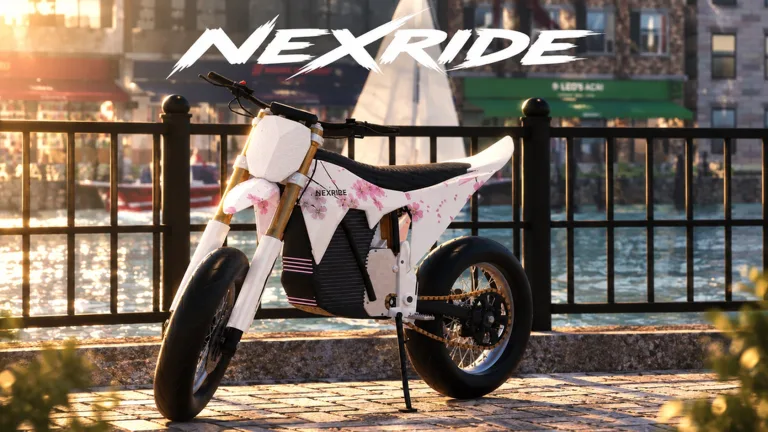
NexRide is a Roblox city riding game built around bike physics, customization, and earning money. You can cruise with friends, complete deliveries, work, trade memecoins, or practice wheelies. Working traffic and AI police give you something else to watch besides your next turn.
1. Learn the bike startup sequence before heading into traffic.
Getting on the bike is only part of the process. Equip your main key, interact with the bike, and raise its kickstand before riding away.
| Action | Control or interaction |
|---|---|
| Equip your main key | Press 1 |
| Use the key | Tap the bike with the key equipped |
| Raise the kickstand | Click the kickstand |
| Open your phone | Press T |
| Access your garage | Open the garage through your phone |
| Find the bike shop | Open your phone’s map and start a route to the bike hub |
These keyboard controls apply to PC play. Keep the phone shortcut handy: the garage and map are useful whenever you need to retrieve a bike or find your way around.
2. Practice handling before adding speed.
Bikes can tip over, and different bikes handle differently. Spend your opening ride learning how your current bike turns and responds before trying to squeeze through traffic.
Follow stop signs and traffic lights while practicing. Stop at red lights and move when they turn green. Breaking traffic rules can bring the police into what started as a simple trip across town.
Ride a manageable route, make controlled turns, and get comfortable stopping. That practice becomes especially useful once you start doing wheelies or riding a faster bike.
Keep this NexRide beginner guide handy as you learn the streets.
Collect Free Cash Before You Start Grinding
3. Redeem the available codes and collect the group reward.
Free cash gives you room to explore without earning every dollar through riding. The codes below were active on October 23, 2026.
| Code | Reward |
|---|---|
100KVISITS | 2.5K cash |
200KVISITS | 3K cash and 2x Cash for 15 minutes |
Enter codes exactly as written; they are case-sensitive. Redeem both codes to collect their cash rewards and the temporary cash boost.
To redeem a code:
- Open the in-game store.
- Select CODES at the top of the store menu.
- Enter the code in the ENTER CODE box.
- Click REDEEM.
Joining the game’s Roblox group also offers a 1,000 cash reward. Use that extra cash alongside the code rewards to build your starting balance.
4. Get comfortable riding before redeeming the timed boost.
The temporary multiplier attached to 200KVISITS lasts 15 minutes. Learn the startup controls and find your route before claiming it, then spend your riding session earning cash.
Keep code boosts separate from permanent purchases in your planning. A short cash multiplier and the paid 2x Cash pass are different rewards with different durations.
For this NexRide beginner guide, the opening priority is straightforward: collect the available freebies, understand your bike, and put the timed reward into a session where you’re ready to ride. Avoid spending that session wandering through menus or figuring out how to raise the kickstand.
Earn Money Through Riding, Work, and Deliveries
5. Practice wheelies where you have room to recover.
Wheelies earn money, and longer wheelies earn more. That gives you a way to combine riding practice with building your balance.
Choose room to maneuver and focus on keeping the bike under control. Extend your wheelies gradually rather than forcing a long attempt into busy traffic. Watch what is ahead, especially as you approach intersections.
| Money-making activity | How it works |
|---|---|
| Wheelies | Earn cash while holding a wheelie; longer wheelies earn more |
| Work | Earn money through in-game work |
| Deliveries | Complete deliveries for money |
| Police escapes | Earn a payout by successfully escaping a chase |
| Memecoin trading | Trade coins whose changing prices can produce gains or losses |
6. Try work and deliveries alongside riding.
NexRide includes work and delivery activities, so wheelies and police pursuits aren’t your only earning options. Use deliveries as another reason to explore the city and become familiar with its streets.
Pay attention to the route while obeying traffic signals. A delivery trip also gives you practice navigating, stopping, and handling your bike around other vehicles.
Build your routine around activities you can finish consistently. If wheelie attempts keep ending in crashes, return to ordinary riding and try work or deliveries while improving your control.
7. Keep memecoin trading separate from your bike budget.
Coin prices can move up or down. Trading offers another way to make money, but a price drop can also reduce the money you put into it.
Set aside the cash you intend to use for a bike purchase or upgrade before experimenting with trading. Avoid putting your entire riding budget into a coin simply because its price is moving upward.
The money lesson in this NexRide beginner guide is to consider what you keep after mistakes. A flashy activity isn’t automatically useful for your next purchase if repeated fines or trading losses keep shrinking your balance.
Handle Police Chases Without Wasting Your Cash
8. Learn what attracts police attention.
Running red lights, reckless riding, and collisions with police vehicles can trigger trouble. Follow road signs when you want an ordinary ride, and keep enough control to stop at intersections.
Speed becomes another thing to manage when your bike is in sport mode. Use the extra pace carefully around traffic rather than carrying it straight into every turn.
A chase can pay around 400–600 cash when you escape, with roughly five minutes of pursuit involved. That payout makes pursuits tempting, but getting caught carries a financial cost. A capture can result in a 200 cash fine and your bike being taken away.
9. Focus on escaping once a chase starts.
Set wheelie attempts aside when they interfere with your ability to steer or avoid obstacles. Keep your attention on the road and avoid riding into police cars.
If you end up on foot, police can continue pursuing you. Don’t assume losing access to the bike ends the encounter.
Use these priorities during a pursuit:
- Keep moving while watching traffic and obstacles.
- Favor controlled turns over abrupt movements that tip the bike.
- Avoid stopping near pursuing police.
- Check your remaining cash after a capture before trying again.
Treat chase rewards as money you earn only after a successful escape. Don’t plan a bike purchase around a payout you haven’t received.
This NexRide beginner guide puts traffic awareness ahead of chase grinding for your opening sessions. Practice ordinary riding until you can handle intersections and turns without constantly losing control, then try pursuits when you’re ready for the risk.
Manage Charging, Upgrades, and Optional Passes
10. Learn the bike shop route before you need a charge.
Open your phone with T, use the map, and start a route to the bike hub. The bike shop area lets you customize your bike and charge it when its battery runs out.
Visit while you’re learning the city so you know where to return. Finding the shop also gives you a chance to explore customization options before committing your cash.
Your phone’s garage provides access to your bikes and lets you bring a bike back home. After purchasing another bike, check the garage for it.
11. Separate performance spending from appearance changes.
NexRide supports performance upgrades and bike customization. Decide whether your next purchase is meant to change how the bike rides or how it looks.
Different bikes have different handling, so get used to a new purchase before immediately pushing it into a chase. Revisit the same basic riding practice you used at the start: controlled turns, stops, and room to maneuver.
Sport mode increases speed. If your bike feels slow, check its riding mode before deciding that buying another bike is the answer. Use that extra speed where you have space to handle it.
12. Compare paid passes by their stated benefits.
Two optional passes offer cash-related benefits alongside other perks.
| Pass | Price | Included benefits |
|---|---|---|
| VIP | 499 Robux | VIP tag, +25% cash, a daily bonus, underglow, and VIP-only paint |
| 2x Cash | 299 Robux | Permanently doubles cash earned from riding |
Choose based on the benefit you want. Compare the riding cash multiplier with VIP’s mix of cash and customization perks before spending Robux.
Neither pass changes the need to learn the bike’s handling, navigate traffic, or manage police encounters. Keep practicing those basics as you upgrade.
To put this NexRide beginner guide into action, start with the controls, collect your cash rewards, and learn the shop route. Then build an earning routine around wheelies, work, and deliveries before taking on pursuits. When you’re ready, play NexRide on Roblox and work through those steps at your own pace.
FAQ
What should I do first in this NexRide beginner guide?
Learn to equip your key, raise the kickstand, and control the bike. Redeem the available cash codes, collect the group reward, and use your phone’s map to find the bike shop.
How do you make money in NexRide?
You can earn through wheelies, work, deliveries, successful police escapes, and memecoin trading. Longer wheelies earn more money. Keep the risk of police fines and falling coin prices in mind when choosing an activity.
Where do you charge your bike in NexRide?
Charge your bike at the bike shop area. Press T to open your phone, access the map, and start a route to the bike hub.
Can you customize your bike and ride with friends?
Yes. NexRide supports bike customization, performance upgrades, and riding with friends. Servers hold up to 16 players, giving you room to cruise together while exploring the city.
Continue with
 NexRide Controls: Keys, Bike Setup, and Riding GuideLearn NexRide controls for your main key, kickstand, phone, and garage. Get your bike moving, use the map, and handle traffic with practical riding tips.
More in Guides
See all GuidesContinue exploring
NexRide Performance Upgrades: Bike Setup and Speed Guide
Explore NexRide performance upgrades, switch to sports mode, find bike customization, and earn cash for your next bike with riding tips and code rewards.
NexRide How to Play With Friends: City Riding Guide
NexRide how to play with friends: plan a city ride, learn bike controls, find the bike hub, and avoid police trouble while cruising with your Roblox crew.
Join the community
Official channels for news, updates and player help: