NexRide Dirtbikes: Update Dates and Riding Prep Guide
Get ready for NexRide dirtbikes with the October update dates, bike controls, customization tips, and ways to earn cash before heading out onto the trails.
Jump to
When Is the NexRide Dirtbikes Update?
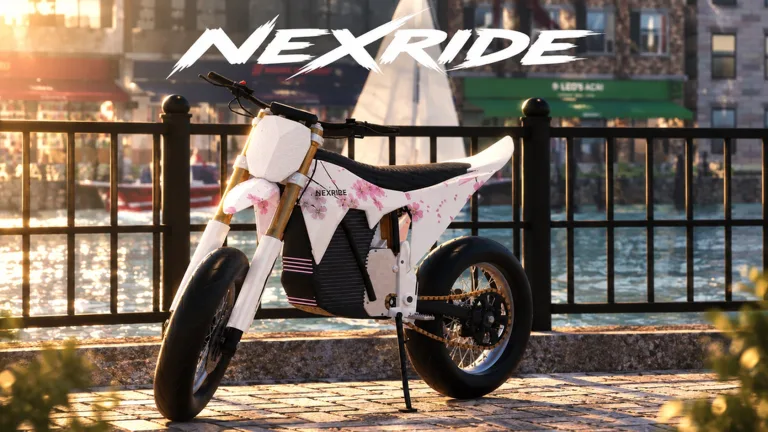
NexRide dirtbikes are heading into the spotlight with the DIRTBIKES AND TRAILS update event, scheduled for October 24–26, 2026. The update brings a dirt-and-nature theme to a game built around city riding, bike customization, and earning cash. Get ready for NexRide dirtbikes by learning your current bike’s controls, finding the bike hub, and building up your spending money.
As of October 23, the event is still upcoming. Keep October 24 on your radar, then open NexRide on Roblox to jump into the experience.
| Event detail | What to know |
|---|---|
| Update name | DIRTBIKES AND TRAILS |
| Scheduled event dates | October 24–26, 2026 |
| Update theme | Dirtbikes, trails, and riding in nature |
| Previous update event | AI COPS UPDATE, October 17–18, 2026 |
| Platform | Roblox |
The event dates give you a preparation window. Use it to get comfortable starting your bike, navigating with your phone, and keeping your cash away from police fines.
NexRide already combines realistic bike physics with a working city traffic system. That makes control practice useful before you start exploring the dirtbike update. A faster ride still needs careful steering, and tipping your bike can interrupt an otherwise smooth run.
Start with the basics below, then work toward upgrades once riding feels comfortable.
Get Your Bike Moving and Learn the Phone Controls
Before planning your next purchase, make sure you can reliably get your current bike on the road. Starting it involves using the main key and raising the kickstand.
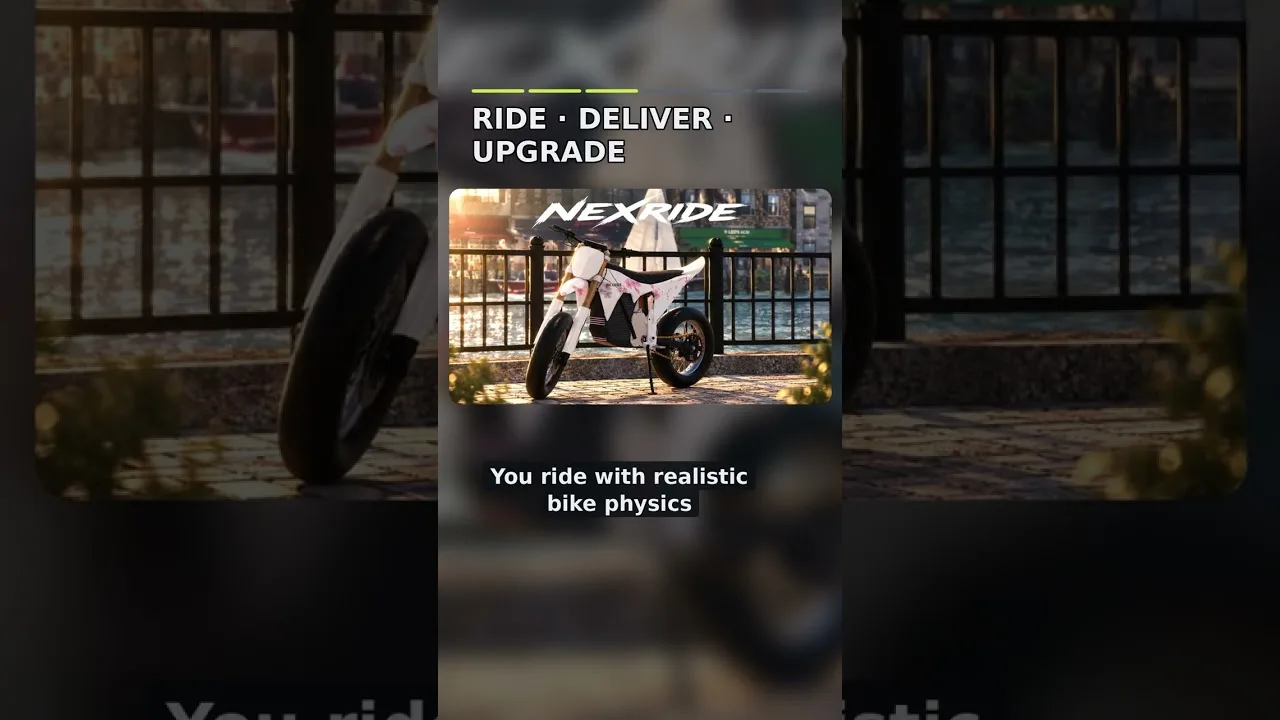
On keyboard, press 1 to equip the main key. Use it on the bike, then click the kickstand to raise it before riding.
| Action | Control or method |
|---|---|
| Equip the main key | Press 1 |
| Use the key | Tap the bike with the main key equipped |
| Raise the kickstand | Click the kickstand |
| Open your phone | Press T |
| Access your bikes | Open the garage through the phone |
| Navigate to the bike hub | Open the phone’s map and start a route |
Practice that sequence until it feels routine. It is easy to focus on buying another bike while overlooking the small interactions needed to get moving.
Your phone is also central to getting around. Press T, open the map, and set a route to the bike hub when you want to reach the customization area. Use the garage through the same phone when you need to bring your bike back home.
For NexRide dirtbikes preparation, learn these existing systems before the event begins. Knowing where the garage and map are lets you spend more time riding once you enter the game.
Adjust to Each Bike’s Handling
Different bikes drive differently. After switching rides, take a short practice run before pushing the speed or attempting long wheelies.
The existing riding system also includes a sports mode that increases speed. Check the mode when a bike feels slow, but give yourself room to adjust to the faster pace.
Keep these habits in mind:
- Raise the kickstand before trying to ride away.
- Practice steering after changing bikes.
- Leave room around traffic while learning the handling.
- Use the map route when heading to the bike hub.
- Ease into higher speeds, especially if you are already tipping over.
Getting comfortable with a bike is part of the ride. Give each change a little practice time instead of immediately testing it in a police pursuit.
Find the Bike Hub for Customization and Charging
The bike hub brings together two useful parts of everyday riding: changing your setup and charging your bike.
Open your phone’s map and start a route to reach it. Once there, you can work on your bike’s appearance and performance, with charging available in the same area.
| Feature | What it does |
|---|---|
| Performance upgrades | Improve your bike’s performance |
| Setup customization | Change your bike’s setup |
| Appearance customization | Personalize how your bike looks |
| Charging | Recharge your bike |
| Phone garage | Bring your bike back home and access purchased bikes |
NexRide dirtbikes fit into a game where your ride is already a major part of your identity. You can cruise with friends, personalize your bike, or spend your time earning toward another purchase.
Before spending, decide what you want from your next change. If you are chasing a different riding feel, focus your attention on the bike and its performance options. If you are happy with how it rides, explore the appearance choices.
Keep charging in your routine as well. The bike hub has charging facilities, so remember that location when your bike runs out of charge.
Access a Newly Purchased Bike
After purchasing a bike, you can reset and then retrieve it through your garage. Open the phone, head into the garage, and get your new ride.
Once you have it, repeat the same basic preparation: use the key, raise the kickstand, and take time to adjust to its handling.
Avoid judging a purchase entirely by how quickly it accelerates. Different bikes have different driving behavior, and the game’s physics make control part of the experience. Test turns and ordinary street riding before adding wheelies or a pursuit.
That practice also helps you decide which customization changes you want to make next.
Earn Cash While Managing Police Chases
Building your budget is useful preparation for NexRide dirtbikes. The game offers several money-making activities, including riding, wheelies, work, deliveries, and memecoin trading.
Police pursuits add another route to cash, but getting caught comes with fines. Choose your activity with that tradeoff in mind.
| Activity | How it relates to money |
|---|---|
| Riding | Earn cash while riding |
| Wheelies | Earn money, with longer wheelies paying more |
| Work | Complete work to build your cash |
| Deliveries | Earn money through delivery activities |
| Memecoin trading | Make or lose money as the value moves |
| Escaping police | A successful escape after roughly five minutes of pursuit can pay around 400–600 in cash |
Practice Wheelies Away From Pursuits
Wheelies pay money, and longer wheelies increase the payout. Practice extending them while keeping enough control to avoid a crash.
Leave police pursuits out of those practice runs. Holding a wheelie while being chased adds another demand on your steering and balance, especially when you are still learning a bike.
Start with the length you can control, then work on staying up longer. If you keep tipping, return to ordinary riding for a bit and get comfortable with the bike’s response.
For NexRide dirtbikes preparation, use your current ride to build those habits and earn along the way.
Understand What Starts Trouble
Traffic rules matter in NexRide. Running red lights and riding recklessly can draw police attention, and colliding with a police car can also lead to trouble.
Watch the lights, stop at red, and pay attention to stop signs when you want an uninterrupted ride.
A pursuit can be entertaining, but escaping takes work. Getting caught can lead to a 200 fine, and police can take your bike. Officers can also pursue you on foot after you are off the bike.
Keep that cost in mind before turning every ride into a chase. Repeated fines work against the cash you are trying to build.
Keep Trading Risk in Perspective
Memecoin trading gives you another way to interact with the game’s economy. Its value can move up or down, so a trade can reduce your balance as well as increase it.
Keep money intended for a bike purchase separate from money you are willing to risk on trading. If you want to keep riding while building your funds, use riding activities, work, or deliveries instead.
Mix activities according to what you enjoy. Long wheelies, delivery runs, and police escapes ask for different kinds of attention, so choose deliberately before committing to a session.
Understand Cash Passes Before Spending Robux
NexRide sells two passes connected to cash earnings: VIP and 2x Cash. Their benefits differ, so read the descriptions before purchasing.
| Pass | Price | Included benefits |
|---|---|---|
| VIP | 499 Robux | VIP tag, +25% cash, a daily bonus, underglow, and VIP-only paint |
| 2x Cash | 299 Robux | Double cash earned from riding, permanently |
The 2x Cash pass specifically doubles money earned from riding. VIP combines a cash increase with a daily bonus and visual extras, including underglow and exclusive paint.
When planning your NexRide dirtbikes budget, distinguish between in-game cash and Robux spending. Work, deliveries, and riding activities build your in-game funds; the passes above are separate purchases.
Decide which benefits you actually want before opening the purchase prompt. If your interest is the riding payout, read the 2x Cash benefit closely. If you want the appearance extras, look through the VIP package.
Finish Your Preparation With a Short Ride
Before the event, run through the systems you will use regularly:
- Start your bike with the key and kickstand interactions.
- Open the phone and locate the garage.
- Set a map route to the bike hub.
- Find the customization and charging area.
- Practice handling without drawing police attention.
That gives you a practical foundation for exploring NexRide dirtbikes when the scheduled event arrives. Bring a bike you can control, some spending money, and familiarity with the map, then get out and explore.
FAQ
When Is the NexRide Dirtbikes Update Scheduled?
The DIRTBIKES AND TRAILS event is scheduled for October 24–26, 2026. As of October 23, it is upcoming. The update’s theme centers on dirtbikes, trails, and riding in nature.
How Do You Start a Bike in NexRide?
Press 1 to equip your main key, use it on the bike, and click the kickstand to raise it. Once those interactions are complete, you can ride. After changing bikes, take a practice run to adjust to the handling.
Where Can You Customize and Charge Your Bike?
Head to the bike hub. Open your phone with T, use the map, and start a route there. The area provides bike customization and charging facilities. Your phone also contains the garage for accessing your bikes.
How Can You Earn Money Before Buying Another Bike?
Earn through riding, wheelies, work, deliveries, or memecoin trading. Longer wheelies pay more, while successful police escapes can also reward cash. Watch the risk: trading values can fall, and getting caught by police can result in a fine.
Continue with
 NexRide Kickstand: How to Raise It and Start RidingRaise the NexRide kickstand, use your main key, and get your bike moving. Learn startup steps, charging basics, garage controls, and riding tips today.
More in Bikes
NexRide Best Bike: Price, Upgrades, and Buying Guide
Find your NexRide best bike with a 15,000 cash target, sports mode tips, charging help, and earning strategies. Plan the next upgrade before spending cash.
NexRide Bike Setup: Customize, Charge, and Ride Faster
Get your NexRide bike setup ready with key controls, bike customization, charging locations, Sports mode tips, and cash rewards for your next city ride.
NexRide Main Key: How to Start and Ride Your First Bike
Use the NexRide main key to start your bike, raise the kickstand, and get riding. Learn the PC controls, garage access, charging stops, and riding basics.
NexRide Performance Upgrades: Bike Setup and Speed Guide
Explore NexRide performance upgrades, switch to sports mode, find bike customization, and earn cash for your next bike with riding tips and code rewards.
Continue exploring
NexRide City Exploration: Routes, Bikes, and Riding Tips
Master NexRide city exploration with tips on phone navigation, bike customization, charging, traffic rules, and earning cash while riding around the city.
NexRide Trails Guide: Dirtbike Update and Riding Tips
Get ready for NexRide trails with the dirtbike update schedule, bike setup tips, charging basics, and city riding advice before you head out into nature.
Join the community
Official channels for news, updates and player help: