NexRide City Exploration: Routes, Bikes, and Riding Tips
Master NexRide city exploration with tips on phone navigation, bike customization, charging, traffic rules, and earning cash while riding around the city.
Jump to
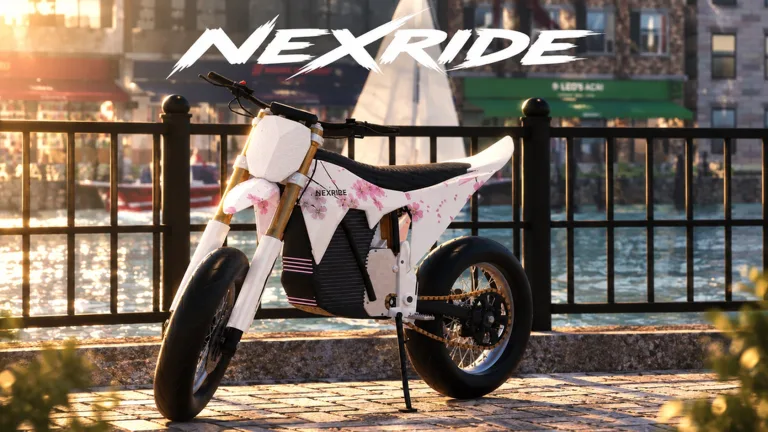
How NexRide City Exploration Works
NexRide city exploration turns a bike ride into a mix of navigation, customization, and trouble with the police. Learning your way around matters because traffic violations can interrupt a cruise and leave you paying fines. Start NexRide city exploration by finding your bike, learning the phone map, and locating the bike hub before pushing your speed.
The city combines working traffic, ambient sounds, and bike physics with ways to earn money. You can cruise with friends, complete deliveries, customize your setup, or chase extra cash through wheelies. Your route can serve several purposes, but decide what you want from the ride before setting off.
| City activity | What it involves |
|---|---|
| Street riding | Exploring the city with realistic bike physics |
| Bike customization | Changing your setup and upgrading performance |
| Deliveries and work | Earning money through activities beyond cruising |
| Group rides | Meeting friends and riding together |
| Traffic interactions | Responding to signals, signs, and police |
Keep your opening ride focused on the essentials: getting moving, navigating to the bike hub, and understanding how the streets work. Leave room to brake, watch intersections, and notice how your bike responds when you turn.
NexRide supports up to 16 players per server, giving you room to ride with others. For a group outing, agree on a destination before everyone pulls away. Use the bike hub as a practical meeting point because it also gives your ride a purpose: checking customization options and finding where to recharge.
Exploration becomes easier when you connect places to useful actions. Remember where you can manage your bike, where you can customize it, and how to set a route between destinations.
Official page: NexRide (roblox.com)
Get Your Bike Moving and Learn the Phone
Before planning a long cruise, get comfortable with the startup sequence. Your main key and kickstand are part of getting the bike ready, while the phone handles navigation and garage access.
For the PC controls described here, 1 selects your main key and T opens your phone.
| Control or interaction | Function |
|---|---|
| Press 1 | Select your main key |
| Use the main key | Continue the bike startup sequence |
| Click the kickstand | Raise it before riding |
| Press T | Open your phone |
| Open Garage on the phone | Access the option to bring your bike home |
Work through the startup sequence deliberately:
- Select your main key with 1.
- Use the key on your bike.
- Click the kickstand to raise it.
- Begin riding and get familiar with the bike’s handling.
Avoid rushing straight into fast traffic. Practice moving off, turning, and stopping before adding wheelies or higher speeds. The bike can tip, so leave yourself space while learning how it behaves.
Use the Phone Map to Give Your Ride a Destination
Press T, open the map, and look for the bike hub. Start a route to it through the phone. This gives your opening trip a concrete destination and introduces a location you will use for customization and charging.
Keep this sequence handy for NexRide city exploration: choose a destination, start the route, then ride with your attention on the road. Set navigation before accelerating so you can concentrate on intersections and traffic.
The phone’s Garage option also lets you bring your bike back home. Learn where that option sits before you need it. Managing the bike through the phone is part of navigating the city, especially when you are switching between riding and checking your available bikes.
When you buy another bike, check your garage for it. Give each new purchase a short familiarization ride, since different bikes can feel different to drive.
Read Traffic and Keep Police From Interrupting Your Ride
Traffic rules are central to NexRide city exploration. Red lights, stop signs, reckless riding, and police encounters affect how smoothly you can move through the streets.
Stop at red lights and stop signs. Proceed on green while watching the road ahead. Running a red light can trigger a police chase, turning a navigation trip into an escape attempt.
| Situation | What to do |
|---|---|
| Red traffic light | Stop and wait for green |
| Green traffic light | Proceed while watching traffic |
| Stop sign | Stop before continuing |
| Police vehicle nearby | Leave space and avoid contact |
| Active police chase | Focus on handling and escaping |
Speed also deserves attention. Reckless riding can draw police, so save faster riding for moments when you can maintain control and read the road. A bike that feels manageable on a straight stretch still needs careful handling through a turn.
Keep Wheelies Separate From Difficult Navigation
Wheelies earn cash, and longer wheelies increase the money you receive. That creates a reason to practice them, but a stunt also adds another task while you are navigating.
Practice when you have room to focus on balance. Bring the bike down before a complicated intersection or a turn you are still learning. During a police chase, prioritize steering and avoiding collisions.
The same principle applies to sport mode. It increases speed, but speed changes how quickly you reach traffic and corners. Learn your bike’s response before combining sport mode with unfamiliar streets.
Understand the Cost of Getting Caught
Police encounters can end with a fine, so getting arrested can cut into your cash. Getting caught can also involve losing access to your bike during the encounter.
Keep those consequences in mind before deliberately starting a chase. Escape rewards give pursuits an earning angle, but repeated arrests take money out of your balance.
For a ride focused on discovering the city, follow the signals and avoid police vehicles. You will have more attention available for learning routes, recognizing useful locations, and getting comfortable with the bike.
Visit the Bike Hub for Customization and Charging
The bike hub connects exploration with bike care. Use your phone map to find it and start a route there. Once you arrive, you can explore customization options and charge your bike.
Make this stop part of your NexRide city exploration routine. Knowing where to recharge gives your rides a useful destination, while customization lets you adjust the machine you spend those rides using.
Bike changes cover both setup and performance. Decide what you want to change before spending: appearance, how the bike is configured, or its performance. Then get familiar with the result on the road.
Learn the Bike Before Adding More Speed
Different bikes have different driving characteristics. After changing bikes, take time to learn the handling instead of assuming the new one will respond like your previous ride.
Use a familiar route for that adjustment period. You can pay attention to the bike while following streets you already recognize. Practice controlled turns and stops before adding sustained wheelies.
Sport mode makes the bike faster. If the bike feels slow, check its mode, then consider whether you want the extra speed for your current trip. Keep traffic and upcoming turns in mind when switching your riding pace.
Find Charging Before You Need It
You can charge your bike at the bike shop location. Locate the charging area while visiting for customization so you know where to return when the bike needs power.
Before heading out again:
- Check your bike’s charge.
- Review any setup changes you made.
- Choose your next destination on the phone map.
- Give yourself time to adjust to a different bike or faster mode.
Keep bike shopping tied to your riding needs. Compare the available bikes in-game, then learn the handling of whichever one you purchase. A different bike changes the experience of exploring, even when you take the same streets.
Earn Cash While Building a City Riding Routine
NexRide city exploration overlaps with several money-making activities. Wheelies reward riding skill, deliveries provide work around the city, and escaping police offers another earning opportunity. Memecoin trading adds a separate way to use your money.
Choose activities that match the session you want. For a relaxed cruise, follow traffic rules and practice wheelies where you have room. For a work-focused ride, take on deliveries. If you deliberately pursue police escape rewards, account for the possibility of fines.
| Money activity | How it works |
|---|---|
| Wheelies | Earn cash while holding the stunt; longer wheelies pay more |
| Deliveries | Complete delivery work to make money |
| Other work | Use the game’s work activities to earn cash |
| Police escapes | Earn money by successfully escaping a pursuit |
| Memecoin trading | Trade coins whose value can rise or fall |
Do not build every trip around a chase. Escaping requires control, and a failed attempt can leave you paying a fine. Learn the streets through regular riding before deliberately adding police pressure.
Keep memecoin trading separate from your riding budget. Prices can move in either direction, so decide how much you want available for bike purchases and customization before trading.
Know What the Cash Passes Cover
As of October 23, 2026, 2x Cash costs 299 Robux and doubles money earned from riding. VIP costs 499 Robux and includes a 25% cash bonus, a daily bonus, a VIP tag, underglow, and VIP-only paint.
Read those benefits against what you actually do in-game. The 2x Cash pass specifically describes riding earnings. VIP combines a cash benefit with appearance options and other extras.
Put Together a Useful Exploration Session
Give your next NexRide city exploration session a clear sequence:
- Get your bike ready and check its charge.
- Open the phone and route to the bike hub.
- Follow traffic signals while learning the streets.
- Charge or customize your bike at the hub.
- Choose deliveries, wheelie practice, or a ride with friends.
For group rides, agree on the destination and riding style before leaving. Decide whether you are cruising or practicing stunts so everyone knows what to expect. Regroup at the bike hub when you want to check bikes or change the plan.
Build familiarity through repeat visits. Follow a known route after buying a bike, then branch out once its handling feels comfortable. That gives NexRide city exploration a steady rhythm: learn the road, learn the bike, and take on more demanding riding as your control improves.
FAQ
How do I start NexRide city exploration?
Select your main key with 1, use it on your bike, and raise the kickstand. Open your phone with T, find the bike hub on the map, and start a route there. Follow traffic signals while getting familiar with the streets.
Where can I customize and charge my bike?
Head to the bike hub or bike shop location using the phone map. You can customize your bike and charge it there. Locate the charging area during your visit so you know where to return.
Why do police start chasing me?
Running red lights and riding recklessly can trigger police attention. Contact with police vehicles can also lead to trouble. Stop at signs and red lights, leave space around traffic, and keep your speed under control while exploring.
Can I earn money while exploring the city?
Yes. Wheelies earn cash, with longer wheelies paying more, and the game also offers deliveries and other work. Successful police escapes provide another earning route, while memecoin trading lets you trade assets whose value can rise or fall.
Continue with
 NexRide Riding Guide: Controls, Cash, and Bike TipsThis NexRide riding guide helps you start your bike, manage charging, earn cash, handle police chases, and plan upgrades for a new ride through the city.
More in Riding
NexRide Bike Physics: Handling, Wheelies, and Control
Master NexRide bike physics with practical tips for smoother riding, wheelies, sports mode, and city traffic. Learn how to stay in control on every ride.
NexRide Riding Tips: Handle Your Bike and Earn Cash
Use these NexRide riding tips to start your bike, practice wheelies, manage charging, avoid police fines, and earn cash while exploring the city on Roblox.
NexRide Traffic Guide: Road Rules and Police Chases
Learn how NexRide traffic works, follow road signs, handle police chases, and keep your bike moving with practical riding, charging, and money-making tips.
NexRide Trails Guide: Dirtbike Update and Riding Tips
Get ready for NexRide trails with the dirtbike update schedule, bike setup tips, charging basics, and city riding advice before you head out into nature.
Continue exploring
NexRide Kickstand: How to Raise It and Start Riding
Raise the NexRide kickstand, use your main key, and get your bike moving. Learn startup steps, charging basics, garage controls, and riding tips today.
NexRide Badges: Unlock Status and Player Reward Guide
Looking for NexRide badges? Check the current badge status, understand VIP and cash rewards, and plan your next ride with practical bike and money tips.
Join the community
Official channels for news, updates and player help: