NexRide Deliveries: How to Start and Earn More Cash
Start NexRide deliveries through NEX Dash, plan your cash grind, compare boosts, and use reward codes to put more money toward your bike upgrade today.
Jump to
How to Start NexRide Deliveries
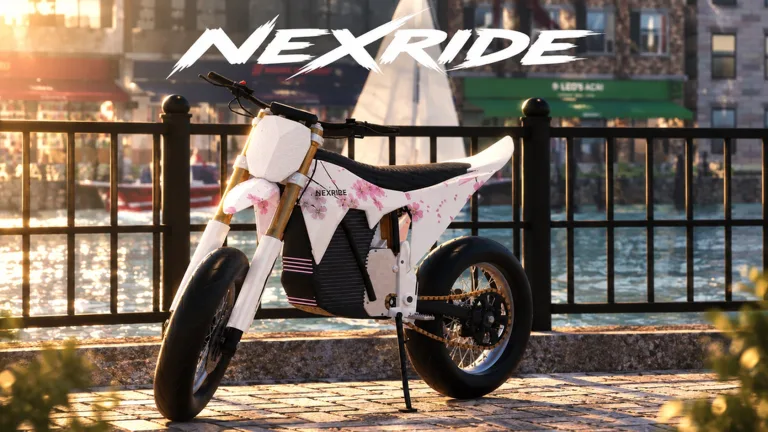
NexRide deliveries give your next ride a purpose: earning cash for the bike you want to build. Open your in-game phone and select NEX Dash to take deliveries. Use NexRide deliveries to connect your money grind with city exploration, then put your earnings toward performance upgrades or a different look.
Deliveries are part of NexRide’s wider earning system, alongside work and memecoin trading. You can spend a session chasing cash, customizing your setup, or cruising with friends. When your goal is an upgrade, keep that purchase in mind before switching between activities.
Find the Right Phone App
The phone brings several useful features together, but each app serves a different purpose.
| Phone Feature | What You Use It For |
|---|---|
| NEX Dash | Taking deliveries |
| NEX COIN | Trading cryptocurrency |
| Store → CODES | Redeeming promotional codes for cash and boosts |
For delivery work, head into NEX Dash. NEX COIN handles a separate earning activity, while the Store’s code section gives you promotional rewards.
On PC, T opens the phone. Finish the tutorial before following the code-redemption steps later in this guide.
Start by getting comfortable with the delivery activity before adding other goals to the same session. Keep the phone apps straight, learn the streets as you ride, and decide what you want your earnings to buy. That gives you a clear reason to keep working instead of spending cash whenever something catches your eye.
Build a Focused Delivery Routine
Approach NexRide deliveries with a specific spending goal. Choose whether you want to improve performance, change your bike’s setup, or customize its appearance. Those are different purchases, even though they all draw on the cash you earn.
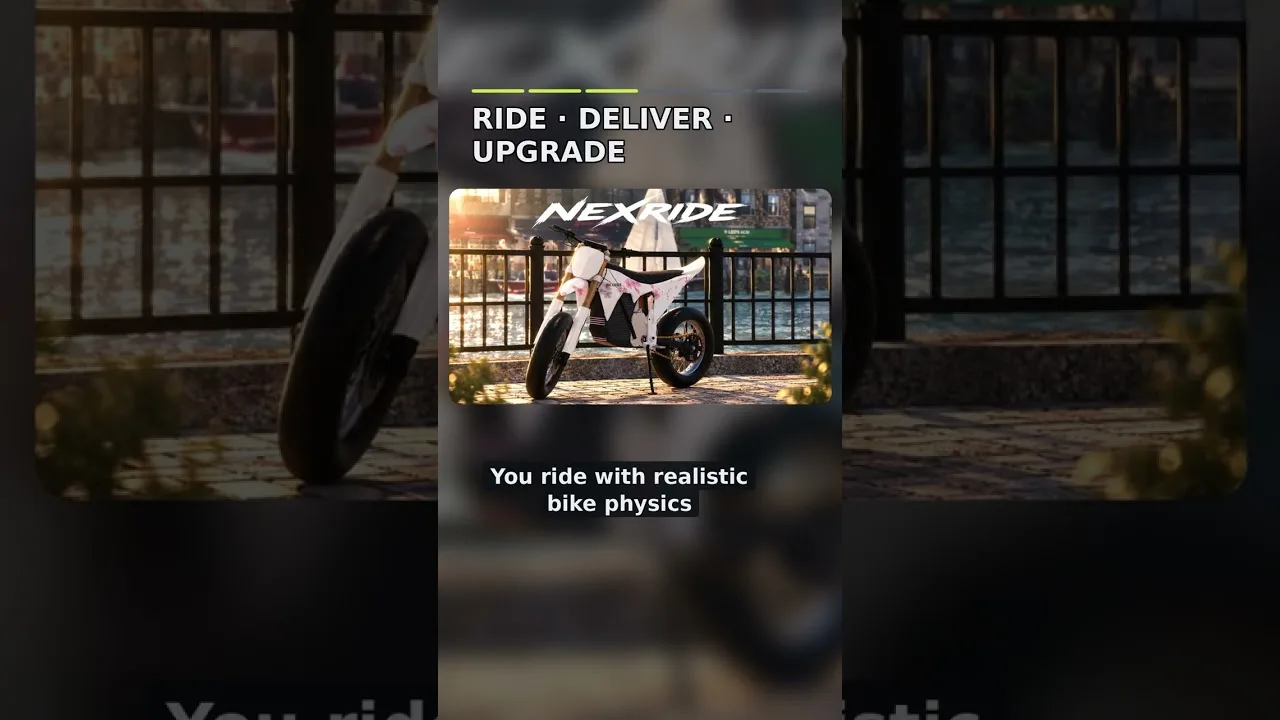
You can still enjoy the city along the way. NexRide includes working traffic, realistic bike physics, and an urban environment built for exploration. Pay attention to how your bike responds as you move through the streets, then use that familiarity when choosing your next upgrade.
Keep Your Earning Session Simple
Use this routine to organize your time:
- Choose a purchase goal. Pick a performance or customization target before starting your delivery session.
- Open NEX Dash. Keep your attention on delivery work when that is the activity you came to do.
- Learn the streets while riding. Notice connections between roads and landmarks instead of treating every trip as unfamiliar territory.
- Leave shopping for a break. Browse paint and other customization options when you are ready to stop working.
- Review your next purchase. Decide whether it still fits the bike you want to build.
These are planning habits, rather than a special reward sequence. Use them to give your session structure without turning every ride into a checklist.
Give Boosted Playtime a Clear Purpose
Timed cash rewards appear among NexRide’s promotional codes. Before redeeming a code that includes a boost, get ready to spend time earning.
Finish browsing customization options, wrap up your conversation with friends, and choose the activity you want to focus on. Redeem the reward when you are ready to ride rather than immediately before stepping away.
Keep NexRide deliveries as your main activity if delivery earnings are what you want to compare. Switching among deliveries, stunts, and trading makes it harder to judge which activity you enjoy and want to repeat.
Separate Work From the Rest of Your Ride
Meeting friends and exploring are central parts of NexRide, too. Give those activities their own time instead of expecting every session to accomplish everything.
Run deliveries when you want cash, customize when you want to work on your bike’s appearance, and cruise when you want to enjoy the city. Choose the purpose that fits your session, then change plans whenever you are ready for something different.
Use Cash Codes Alongside Delivery Work
Promotional rewards can contribute to your next bike purchase alongside NexRide deliveries. Some codes award cash directly, while others include a temporary cash boost.
The October 24, 2026 code snapshot includes these rewards:
| Code | Cash Reward | Timed Reward |
|---|---|---|
200KVISITS | 3,000 Cash | 2x Cash for 15 minutes |
100KVISITS | 2,500 Cash | — |
Together, those listed cash rewards total 5,500 Cash, with the timed reward from 200KVISITS included separately. Code availability changes, so use the game’s redemption result to check whether you can claim a reward.
How to Redeem NexRide Codes
Finish the tutorial, then use your phone to reach the Store.
| Step | Action |
|---|---|
| 1 | Open NexRide on Roblox and join a server. |
| 2 | Open your in-game phone; on PC, press T. |
| 3 | Select Store. |
| 4 | Open the CODES tab at the top of the Store menu. |
| 5 | Paste a code into the ENTER CODE field. |
| 6 | Select REDEEM to claim the reward. |
Enter each code separately. Copy the capitalization exactly and remove any spaces accidentally added before or after the code.
If redemption fails, check the spelling and consider whether you have already claimed that reward. Expiration is another reason a previously working code can stop working.
Keep Cash Rewards and Boosts Straight
A direct cash reward contributes a stated amount to your funds. A timed reward gives you a limited earning window. Plan around those differences when deciding when to redeem.
For example, 100KVISITS lists 2,500 Cash, while 200KVISITS combines 3,000 Cash with 15 minutes of 2x Cash. Have your riding session ready before claiming the combined reward.
Game updates and new codes are shared through NexRide’s official Discord and the Funspace Studio's Roblox community. Check those channels for new announcements when you return to the game.
Keep codes as a supplement to your earning routine. Claim the available rewards, then return to the activity you want to play. NexRide deliveries remain a separate way to work toward your purchase goals between promotional rewards.
Understand Cash Passes Before Spending Robux
NexRide offers two cash-related passes with different descriptions. Read the benefits carefully before spending Robux, especially if you are shopping specifically for delivery earnings.
The pass prices and benefits below apply to the October 23, 2026 snapshot.
| Game Pass | Price | Listed Benefits |
|---|---|---|
| VIP | 499 Robux | VIP tag, +25% cash, a daily bonus, underglow, and VIP-only paint |
| 2x Cash | 299 Robux | Doubles cash earned from riding |
The 2x Cash pass specifically describes riding earnings. VIP combines a cash benefit with cosmetic features and a daily bonus.
Read that wording literally when planning a purchase. Keep delivery rewards, riding income, promotional boosts, and VIP benefits separate in your budget rather than assigning every dollar the same multiplier.
Decide Which Benefits Matter to You
If you are considering VIP, review the complete package. The tag, underglow, and exclusive paint are part of its value alongside the cash benefit.
If you are considering 2x Cash, focus on its stated riding benefit. Compare that with how you actually spend your time in NexRide.
Before buying either pass:
- Read its current in-game description.
- Check the current Robux price.
- Decide which listed features you intend to use.
- Consider whether your purchase goal is cash, cosmetics, or both.
Make your decision around those concrete benefits. A larger collection of features only helps your decision when those features are things you want.
You can also keep working toward bike purchases through NexRide deliveries, jobs, and promotional cash rewards. Decide how much you enjoy the earning loop before committing Robux to a pass.
Put Delivery Earnings Toward Your Bike
NexRide gives cash a clear purpose through bike performance and customization. Once you have earned some money, choose what you want your next purchase to accomplish.
If you want to change how the bike performs, review performance upgrades and setup options. If you want a different appearance, browse the customization choices. Keep those goals separate while shopping so an impulse purchase does not replace the upgrade you intended to buy.
Choose Performance With Your Riding in Mind
Use your time on the streets to identify what you want from your bike. NexRide emphasizes realistic physics, so pay attention to the ride itself rather than shopping only for appearance.
Review the upgrade’s description before purchasing. Choose improvements that match the setup you want to build, and keep your spending focused on that goal.
Avoid turning “upgrade the bike” into an endless shopping list. Pick a specific change, work toward it through NexRide deliveries, and enjoy the result before deciding what comes next.
Make Room for Customization
Performance is only one part of the game. Your bike’s appearance is another reason to earn money, and building a ride that fits your style is part of NexRide’s central appeal.
Set aside a separate customization goal when you want a visual change. That lets you choose between appearance and performance deliberately rather than treating every purchase as interchangeable.
Try Other Earning Activities Deliberately
Alongside deliveries, NexRide includes work, memecoin trading through NEX COIN, and riding activities such as wheelies and jumps.
Try those activities when you want to change the pace. Keep trading funds separate from the cash you have earmarked for a bike purchase, and choose a clear goal before switching away from delivery work.
When you are ready to play, launch NexRide on Roblox, open NEX Dash, and put your next earning session toward the bike you want.
FAQ
How do I start NexRide deliveries?
Open your in-game phone and select NEX Dash to take deliveries. On PC, press T to open the phone. Use NEX COIN for cryptocurrency trading and Store → CODES for promotional rewards.
Which codes give cash for bike upgrades?
The October 24, 2026 snapshot includes 100KVISITS for 2,500 Cash and 200KVISITS for 3,000 Cash plus 15 minutes of 2x Cash. Enter codes through the phone’s Store and CODES menus.
What does the NexRide 2x Cash pass cover?
The 2x Cash pass describes doubling money earned from riding. Its October 23, 2026 price is 299 Robux. Read the current in-game description when deciding whether its benefit fits your playtime.
What should I spend delivery money on?
Choose between performance upgrades and appearance customization based on your current goal. Review the available options, pick the change you want, and direct your NexRide deliveries earnings toward that purchase.
Continue with
 NexRide Work Guide: Jobs, Deliveries, and Cash TipsMake NexRide work pay off with NEX Dash deliveries, wheelies, and smarter cash management. Learn how to use boosts, avoid fines, and fund your next bike.
More in Earning
NexRide Earning Guide: Make Money and Avoid Costly Fines
Use this NexRide earning guide to earn cash through riding, wheelies, and deliveries, manage police chases, and compare cash boosts before spending Robux.
NexRide Memecoin Trading: Cash Tips for Every Rider
Explore NexRide memecoin trading, learn how Next coin fits the cash grind, compare riding rewards, and plan bike upgrades without overlooking police fines.
NexRide Money Fast: Earn Cash and Avoid Costly Fines
Learn how to make NexRide money fast with wheelies, police escapes, and cash boosts. Compare rewards, avoid fines, and keep your bike ready for every ride.
NexRide Riding vs Working: Compare Earnings and Risks
Compare NexRide riding vs working, learn how wheelies and police chases affect cash, and weigh delivery work against riding boosts before buying passes.
Continue exploring
NexRide Bike Setup: Customize, Charge, and Ride Faster
Get your NexRide bike setup ready with key controls, bike customization, charging locations, Sports mode tips, and cash rewards for your next city ride.
NexRide Performance Upgrades: Bike Setup and Speed Guide
Explore NexRide performance upgrades, switch to sports mode, find bike customization, and earn cash for your next bike with riding tips and code rewards.
Join the community
Official channels for news, updates and player help: