NexRide FAQ: Controls, Codes, Cash, and Bike Upgrades
NexRide FAQ covering bike controls, cash rewards, codes, police chases, charging, and customization. Learn the basics and plan your ride through the city.
Jump to
What Is NexRide, and How Do You Get Started?
Your first ride gets complicated fast when the kickstand is down and the police are watching the intersection. This NexRide FAQ covers the controls, cash opportunities, and bike management that help you spend more time riding. Keep this NexRide FAQ handy while you learn the city, claim code rewards, and decide where your money should go.
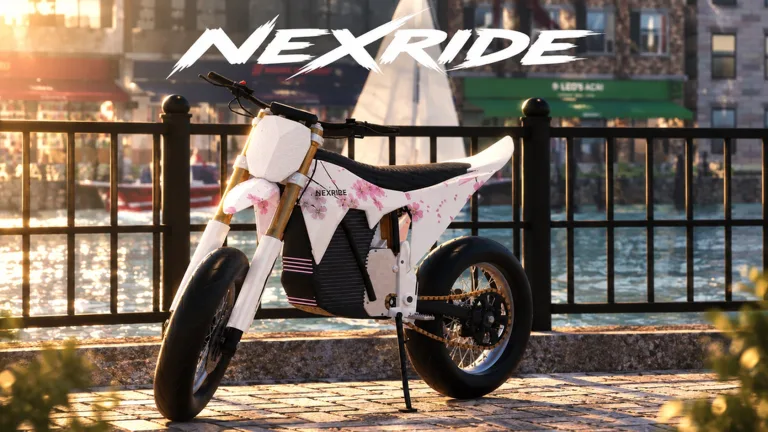
NexRide is a Roblox bike experience developed by Funspace Studio's. You explore an urban map, customize your ride, earn money, and cruise with friends. Its bike physics, working traffic, and police encounters make handling and road awareness part of the experience.
Start by opening NexRide on Roblox. Servers support up to 16 players, so there is room to ride together while you explore the streets.
Before chasing an expensive bike, get comfortable with three basics:
- Starting your ride: Equip the main key, use it, and raise the kickstand.
- Managing your bike: Use the phone's Garage menu to bring it back home.
- Navigating the city: Open the phone map and set a route to the bike club.
Claim available codes before settling into a money grind. Cash rewards give you spending money, while temporary multipliers give you a reason to plan an earning session. Keep your early riding simple enough to learn how the bike behaves before adding wheelies or police pursuits.
How Do Bike Controls, the Phone, and the Garage Work?
If your bike will not move, check the startup sequence before assuming something is wrong. Getting on the bike is only part of the process: you also need the key and a raised kickstand.
The PC controls covered in this NexRide FAQ include these inputs and menu actions:
| Action | PC input or menu | What to do |
|---|---|---|
| Equip the main key | Press 1 | Select the key before starting the bike |
| Use the key | Click or tap with the key equipped | Activate the key |
| Raise the kickstand | Click the kickstand | Lift it before riding |
| Open the phone | Press T | Access the phone's menus |
| Bring the bike home | Phone → Garage | Use the Garage menu |
| Navigate to the bike club | Phone → map | Start a route to the destination |
How do you start riding?
Follow this NexRide faq checklist on PC:
- Get on your bike.
- Press 1 to equip the main key.
- Click to use the key.
- Click the kickstand to raise it.
- Start riding.
Check the kickstand if you have used the key but still have not completed the setup. It is an easy step to overlook when you are eager to get moving.
What does the phone do?
Press T to open your phone. The Garage menu handles bringing your bike back home, while the map helps you find destinations such as the bike club.
Learn both menus early. You will use the map when heading out for customization or charging, and the garage when managing your bikes.
How do you retrieve a newly purchased bike?
After purchasing a bike, reset your character and open the garage to access it. Once you have it out, take time to learn its handling. Different bikes feel different on the road, so avoid heading straight into a chase while adjusting to a new ride.
These key bindings apply to PC.
How Do You Earn Money and Handle Police Chases?
NexRide gives you several ways to earn: riding, wheelies, work, deliveries, memecoin trading, and escaping police. The useful distinction is how each activity affects your cash and your ability to keep riding.
Use this part of the NexRide FAQ to choose an activity around the mechanics you already understand.
| Activity | How it works | Detail to keep in mind |
|---|---|---|
| Riding | Earn cash while riding | The permanent 2x Cash pass applies to riding earnings |
| Wheelies | Earn money by holding a wheelie | Longer wheelies earn more |
| Work and deliveries | Complete earning activities around the city | Both are part of the game's money-making options |
| Memecoin trading | Put money into coins whose value changes | Price movement affects the outcome |
| Escaping police | Earn a reward for getting away | Escape payouts can be around 400–600 cash |
Should you use wheelies to make money?
Wheelies pay money, and holding one longer increases the amount you earn. Practice keeping the bike under control before trying to stretch every attempt.
Keep these priorities in order:
- Learn the bike's balance.
- Work on longer controlled wheelies.
- Watch traffic and road signs.
- Put escape and steering ahead of stunts during a chase.
Do not force a wheelie when you are already struggling to avoid police cars. The extra earning opportunity loses its appeal when a catch ends with a fine.
What starts a police chase?
Running red lights, reckless riding, and colliding with police vehicles can attract police attention. Follow stop signs and traffic lights when you want to cruise without deliberately starting trouble.
Stop at red lights and move when they turn green. Watch intersections even when your route looks straightforward; reaching the bike club is easier when you are not also trying to escape a pursuit.
Sport mode increases speed, so use that extra pace carefully around traffic. Faster riding gives you less room to recover from a mistake.
Are police chases worth the risk?
Escaping can pay around 400–600 cash, but getting caught brings fines. A catch can cost 200 cash, which makes repeated failed attempts a noticeable drain on your balance.
Practice controlling your bike before using pursuits as a regular earning activity. During a chase, prioritize staying upright and avoiding police vehicles. Wheelies add another handling challenge at exactly the moment you need control.
Police can also pursue you on foot after you lose access to your bike. Keep moving if you are still trying to escape, but remember that leaving the bike does not automatically end the pursuit.
Should you trade memecoins?
Memecoin trading offers another way to build your balance, with outcomes tied to price changes. Keep money for your planned bike purchase separate from anything you choose to trade.
Use riding, work, or deliveries when you want to focus on an activity you can perform directly. Choose trading when you want to engage with price movement rather than spend that session on the road.
Where Do You Customize, Charge, and Upgrade Your Bike?
The bike club is a destination to learn early. Use the map on your phone to set a route there instead of roaming the city while your battery runs down.
At the bike club, you can customize your bike and recharge it. NexRide also includes performance upgrades and setup changes, letting you adjust more than appearance.
This NexRide FAQ separates those decisions into three questions: do you need charge, different handling, or a different look? Answer that before spending money.
What should you check before buying another bike?
Check your current bike's riding mode. Sport mode makes the bike faster, so switch to it when you want more speed from your existing ride.
Then consider handling. A different bike can feel noticeably different, and extra speed will not help much if you keep tipping over or running into traffic.
Visit the bike club with a purpose: recharge, change your appearance, adjust your setup, or shop for another bike. That keeps the trip focused.
What do the paid passes include?
The October 2026 pass options include VIP and permanent 2x Cash:
| Pass | Price | Included benefits |
|---|---|---|
| VIP | 499 Robux | VIP tag, +25% cash, a daily bonus, underglow, and VIP-only paint |
| 2x Cash | 299 Robux | Permanently doubles money earned from riding |
Choose around the benefit you actually want. Consider VIP for its mix of cash and cosmetic perks. Consider 2x Cash if doubling riding earnings is your priority.
Keep the permanent riding pass separate from temporary code boosts when planning a purchase. They have different durations, and a code reward does not give you the permanent pass.
What NexRide Codes Can You Redeem?
Codes provide cash and temporary earning boosts. The October 23, 2026 code set includes these rewards:
| Code | Reward |
|---|---|
200KVISITS | 3,000 cash and 2x Cash for 15 minutes |
100KVISITS | 2,500 cash |
POLICE | 1,500 cash |
10KVISITS | 2x Cash for 60 minutes |
The cash rewards total 7,000 cash across 200KVISITS, 100KVISITS, and POLICE. The timed boosts give you additional earning opportunities while they run.
Use the exact capitalization shown in the table. The two expired codes in the October list are THANKS and RELEASE.
How do you redeem codes?
Follow these steps:
- Launch NexRide in Roblox.
- Open Store.
- Select CODES at the top of the store menu.
- Enter a code into ENTER CODE.
- Select REDEEM.
- Enter the next code separately.
Keep this NexRide FAQ's code table nearby so you can copy each string accurately.
Plan your riding session before redeeming a temporary multiplier. Get familiar with the controls and choose an earning activity so you can spend the boosted time playing.
Is there a group reward?
Joining the game's Roblox group offers a 1,000-cash reward. Check the Funspace Studio's community alongside your code rewards when getting started.
For future code announcements and updates, follow the developer's own channels. Keep an eye on milestone celebrations, since the existing code names include visit milestones.
FAQ
What should I do first in NexRide?
Redeem available cash codes, learn the key and kickstand sequence, and practice riding while following traffic signals. Use this NexRide FAQ to find the phone controls, then set a route to the bike club so you know where to customize and charge.
Why does my bike feel slow?
Check whether the bike is in sport mode. Sport mode increases speed. If you have recently switched bikes, spend time learning the new handling before pushing harder through traffic.
Where can I charge my bike?
Head to the bike club. Open your phone with T on PC, use the map, and start a route there. The bike club provides charging as well as customization.
What happens if the police catch me?
Getting caught can result in a cash fine and losing access to your bike during the encounter. A fine can cost 200 cash. Follow traffic lights and stop signs when you want to keep your ride focused on exploring or earning without a pursuit.
Continue with
 NexRide Beginner Guide: Codes, Cash, and Riding TipsThis NexRide beginner guide covers bike controls, free cash codes, charging, upgrades, and police chases. Learn how to ride and build your cash in Roblox.
More in Guides
NexRide Controls: Keys, Bike Setup, and Riding Guide
Learn NexRide controls for your main key, kickstand, phone, and garage. Get your bike moving, use the map, and handle traffic with practical riding tips.
NexRide Reputation Guide: Riding, Cash, and Bike Tips
Build your NexRide reputation with practical riding tips, bike customization, cash strategies, police chase advice, and codes for your next city session.
Continue exploring
NexRide Kickstand: How to Raise It and Start Riding
Raise the NexRide kickstand, use your main key, and get your bike moving. Learn startup steps, charging basics, garage controls, and riding tips today.
NexRide Main Key: How to Start and Ride Your First Bike
Use the NexRide main key to start your bike, raise the kickstand, and get riding. Learn the PC controls, garage access, charging stops, and riding basics.
Join the community
Official channels for news, updates and player help: